

Magic Containers only supports images built for the linux/amd64 architecture. When building your container image, ensure you target this platform using
--platform linux/amd64.Public registries
Public Docker Hub and GitHub container registries are already connected to Magic Containers. You can deploy any public image without additional configuration.Private registries
To deploy images from private repositories, connect your registry by providing authentication credentials.1
Navigate to Image Registries
In the bunny.net dashboard, go to Magic Containers and select Image Registries.
2
Add Image Registry
Click Add Image Registry.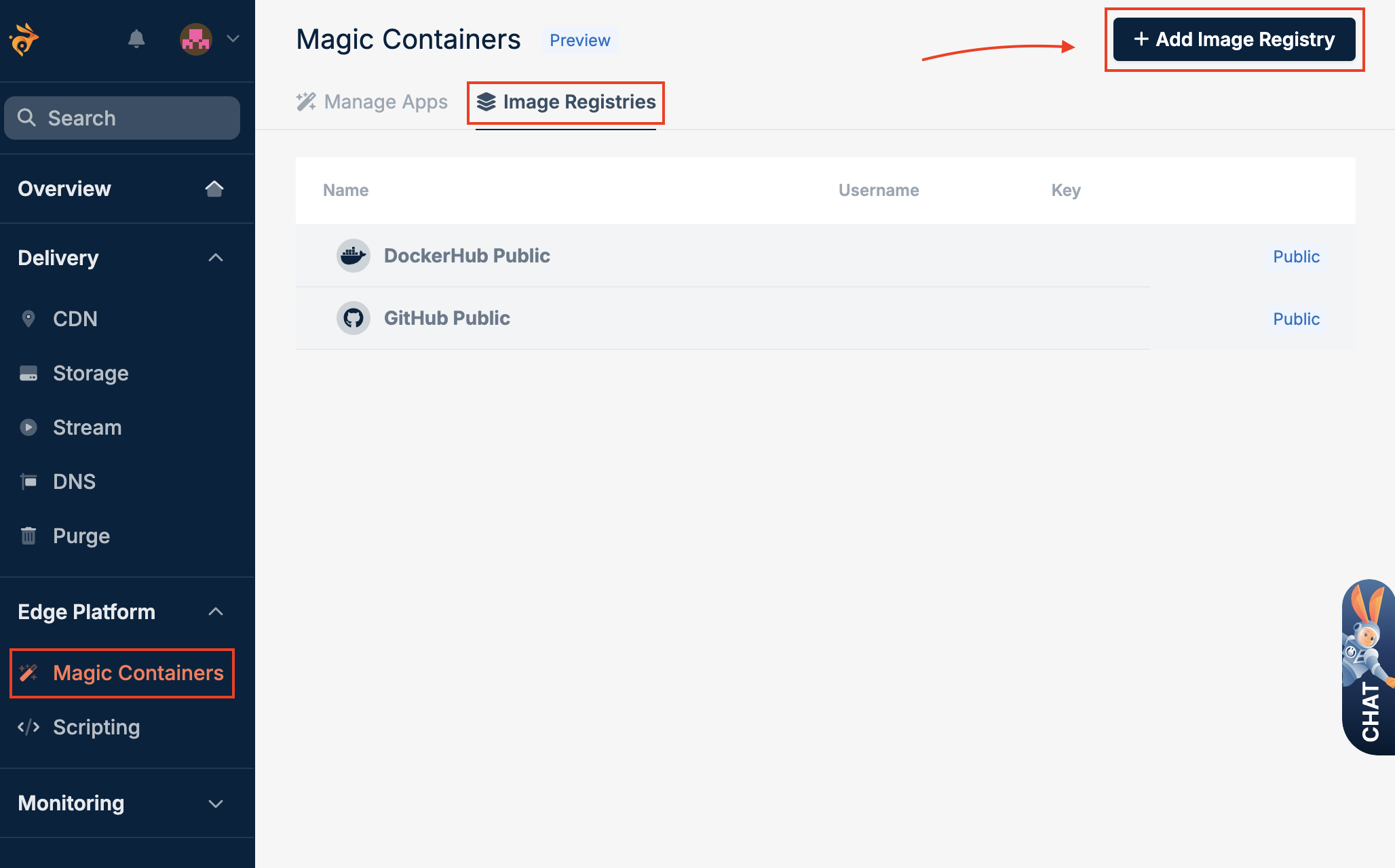
3
Configure registry credentials
Fill in the following fields: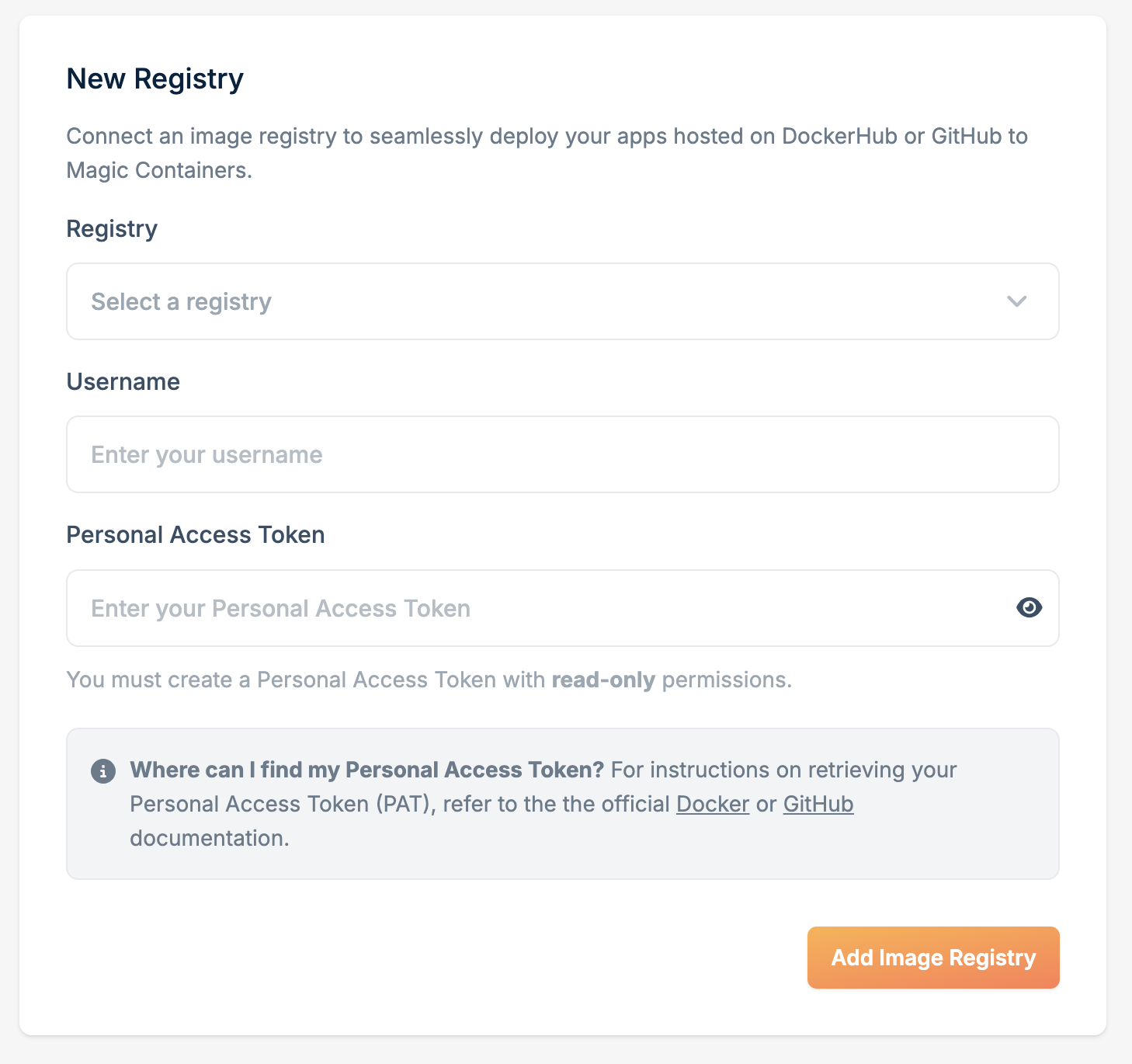
- Registry - Select Docker or GitHub
- Username - Your username or organization name
- Personal access token - Your access token with read-only permissions
4
Save
Click Add Image Registry.