

Health check types
Magic Containers offers three types of health checks:- Startup - Verifies the application has successfully started. No requests are routed until this check passes.
- Readiness - Ensures the application is ready to handle incoming requests. We strongly recommend enabling this check to avoid failed requests.
- Liveness - Confirms the application is actively running without problems.
Configuration
1
Open container settings
Navigate to Magic Containers, select your app, click Container Settings, then Edit.
2
Go to Monitoring tab
In the Container Settings menu, select the Monitoring tab.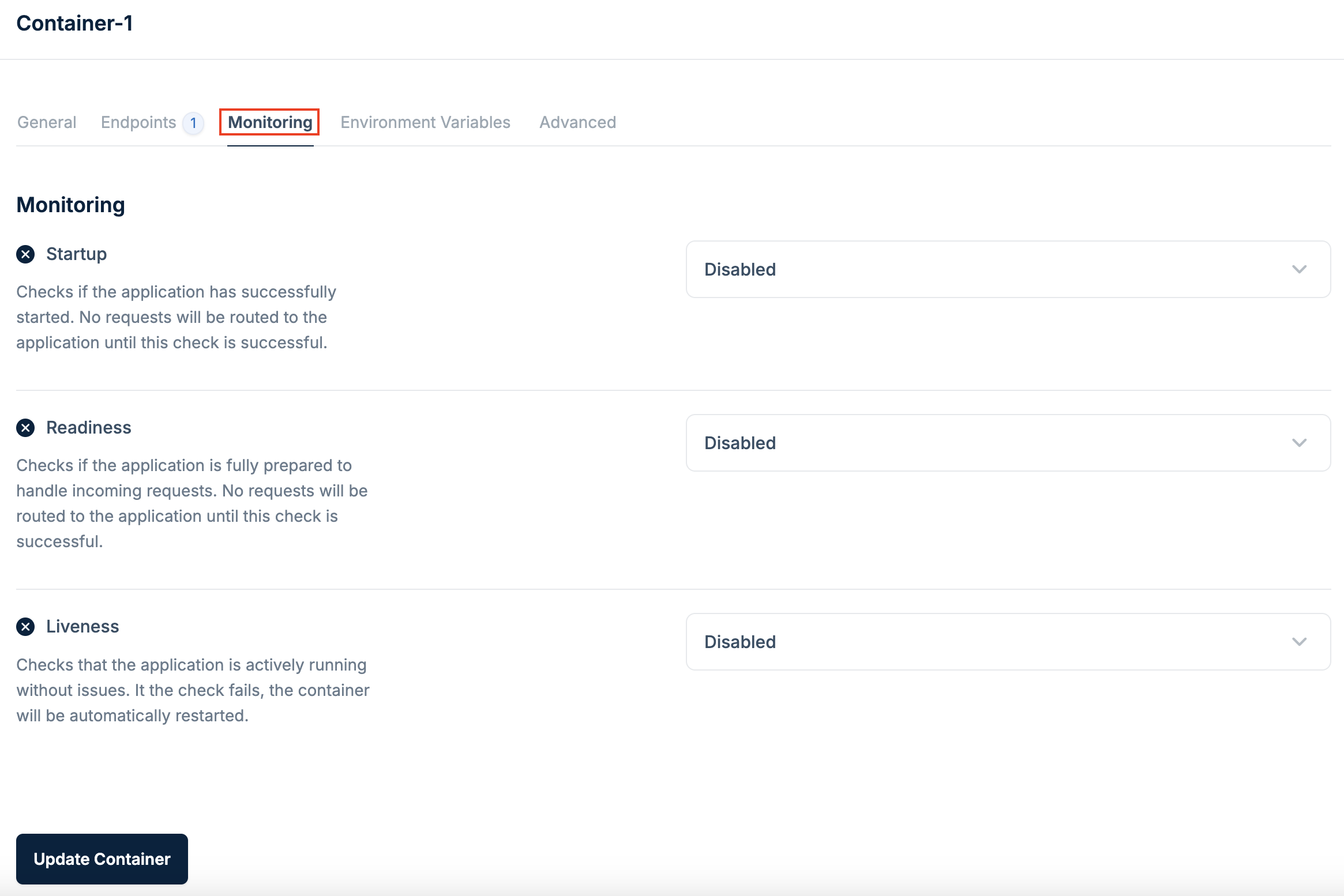
3
Enable health checks
Click the checkbox for each health check type you want to enable (Startup, Readiness, Liveness).
4
Configure the check method
Select either HTTP GET or TCP from the dropdown:HTTP GET - Provide the path and port for the HTTP request.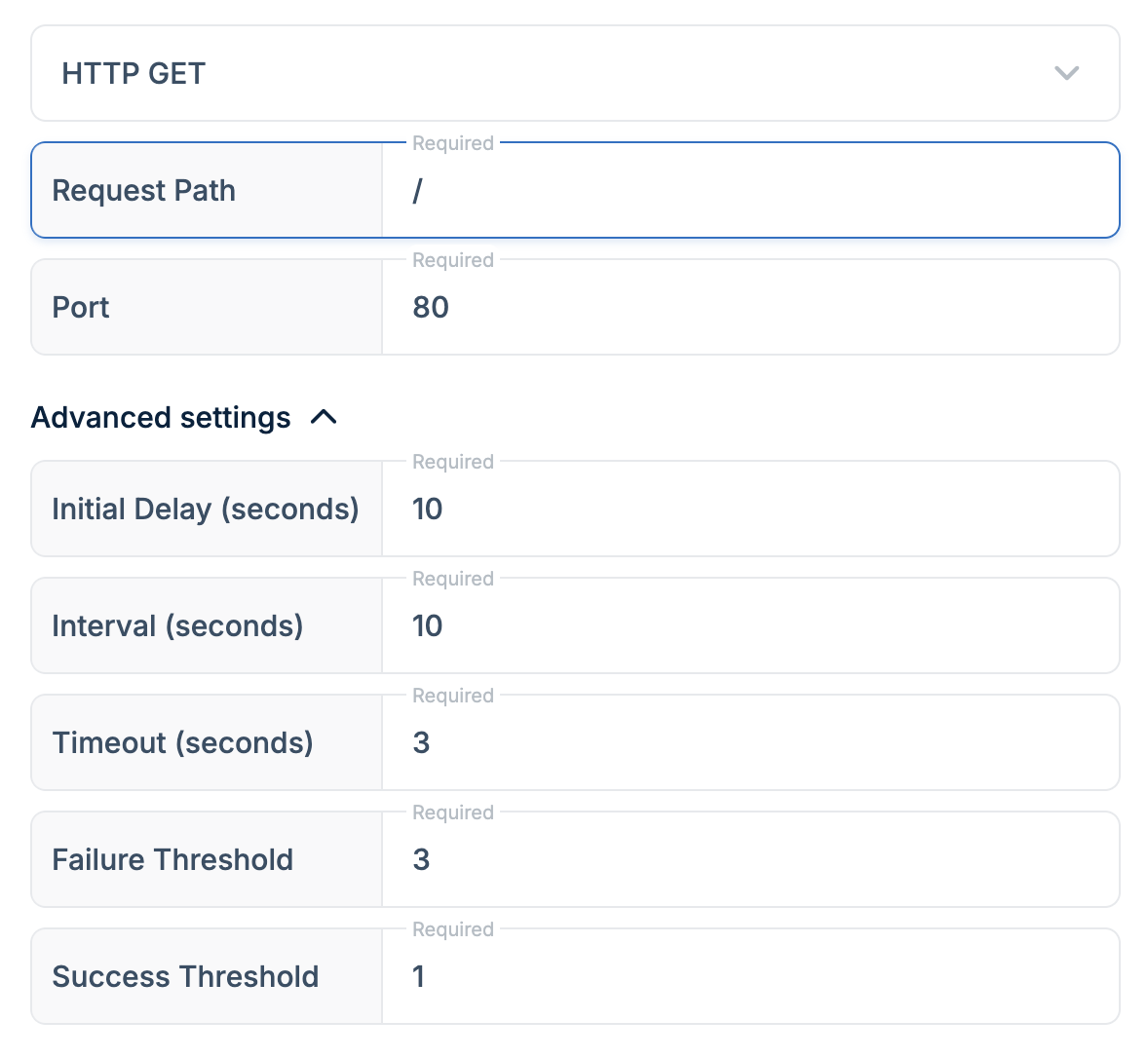
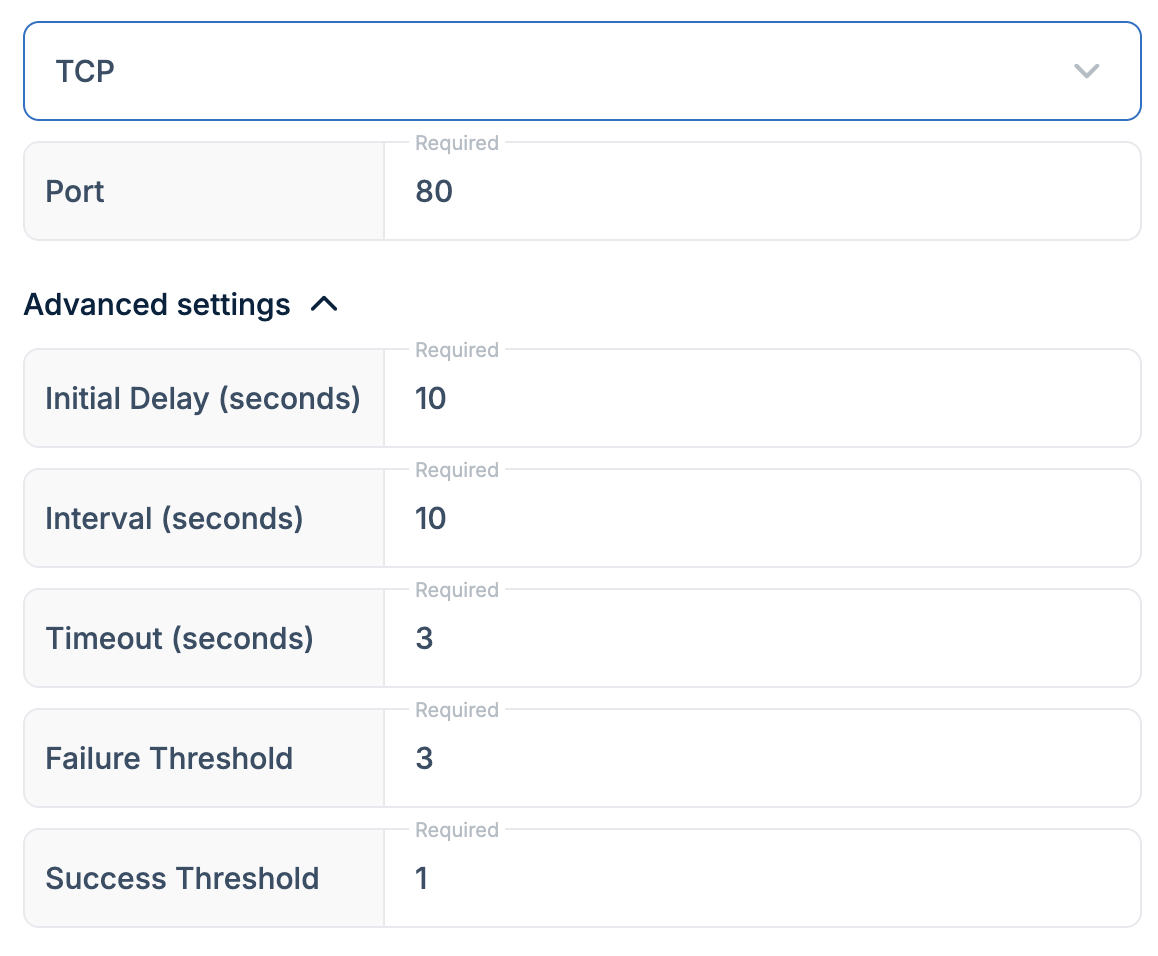
We strongly recommend enabling at least the Readiness health check to minimize failed requests and ensure a smoother user experience.