What you’ll need
Before you dive in, make sure you have the following prerequisites in place:- A bunny.net account ( Log in or sign up for a free trial).
- An existing Shield Zone.
- Advanced Plan or above on the existing Shield Zone.
- Your AccessKey or JWT for API authentication.
Creating a custom WAF rule
Before writing your first rule, read the Rule Engine documentation to understand how rules are structured.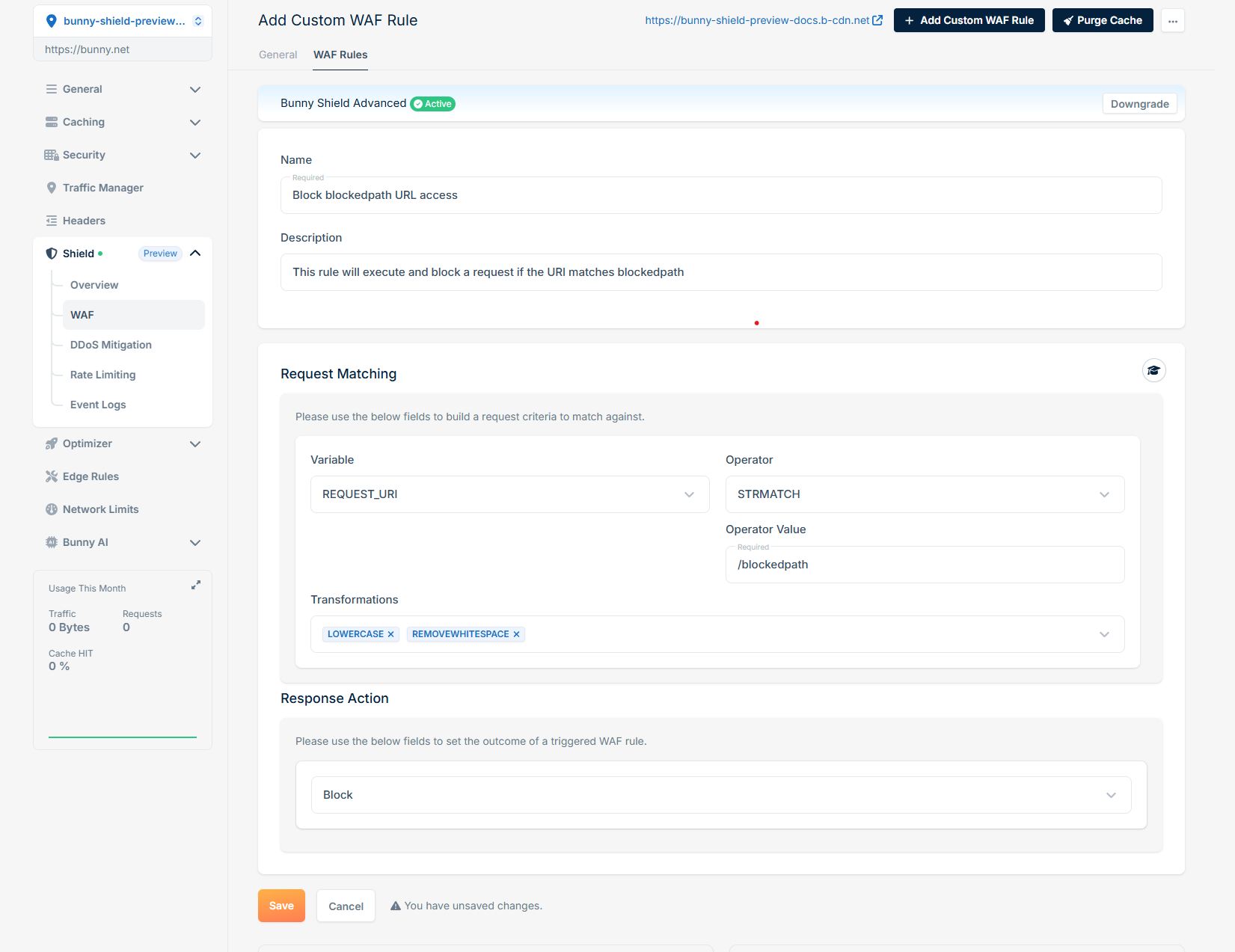
Examples of custom WAF rules
To illustrate how you can implement custom WAF rules, here are some practical examples:Block request by ASN
If you want to block requests that originate from a specific ASN, you can create a rule as follows: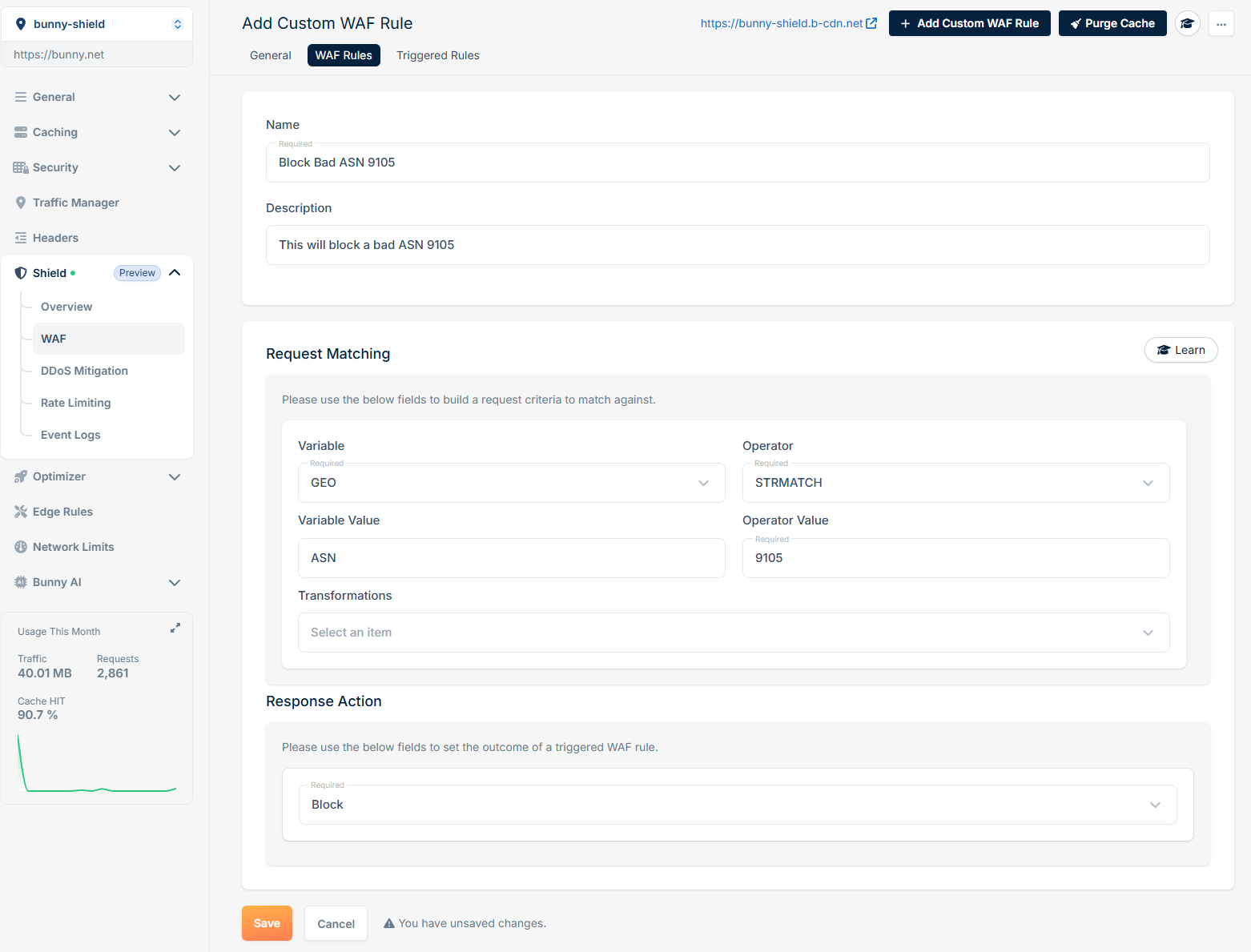
Block request by country code
If you want to block requests that originate from a specific country code, you can create a rule as follows: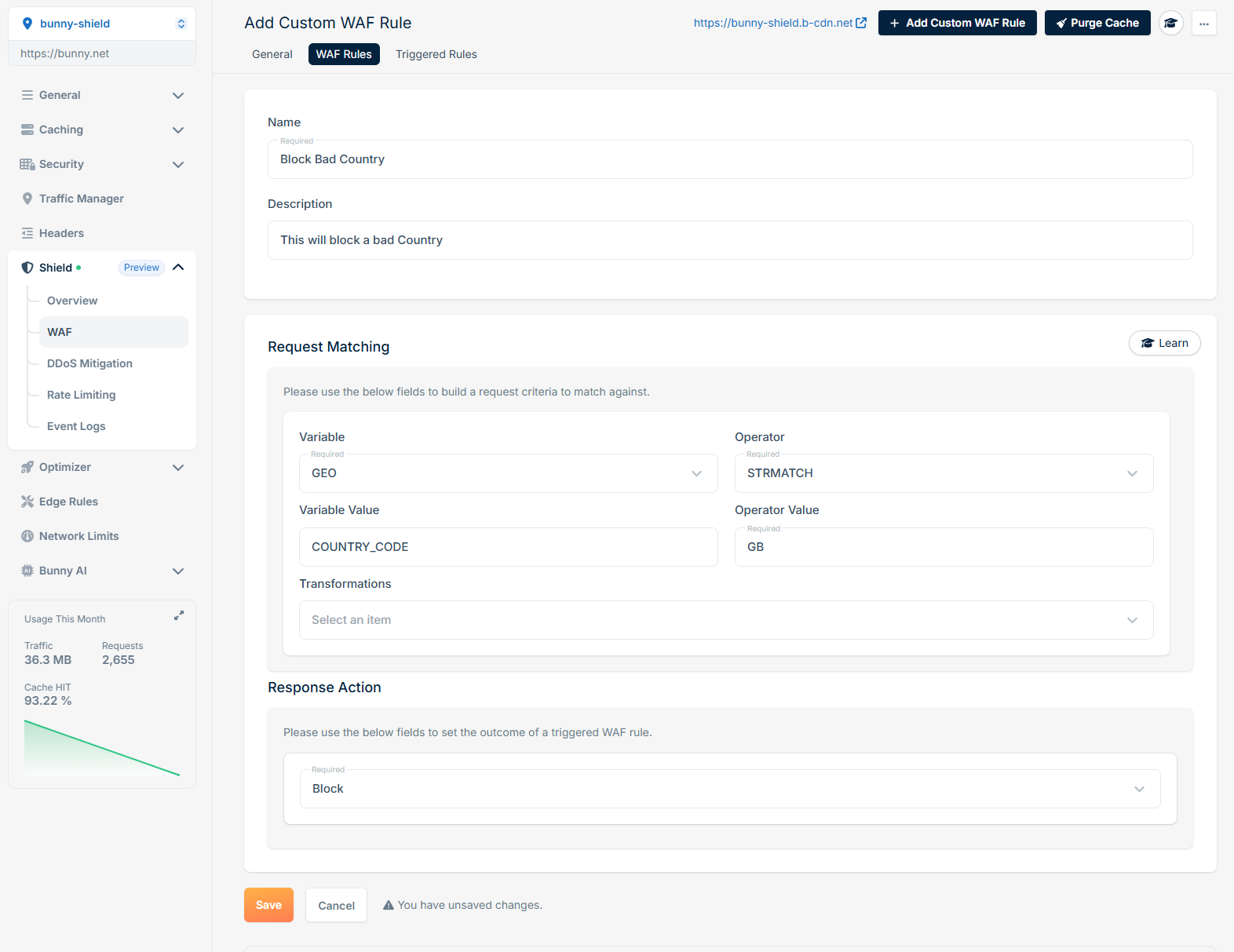
Log request if the specific cookie is set and has a specific value
If you want to log requests that contain a specific cookie with a particular value, you can create a rule as follows: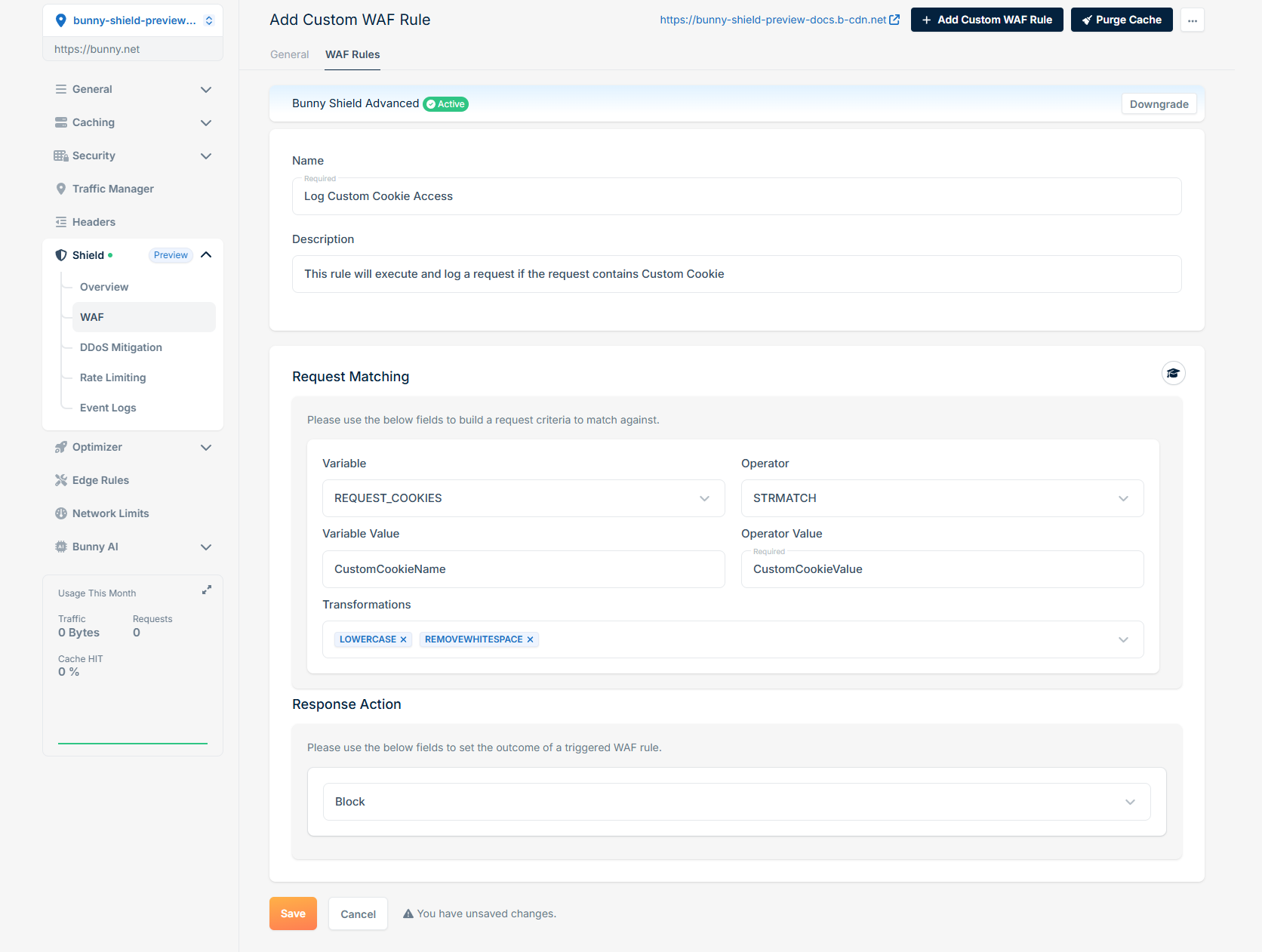
Challenge request if a specific path is accessed
To challenge a user when they access a specific path, you can define a rule like this: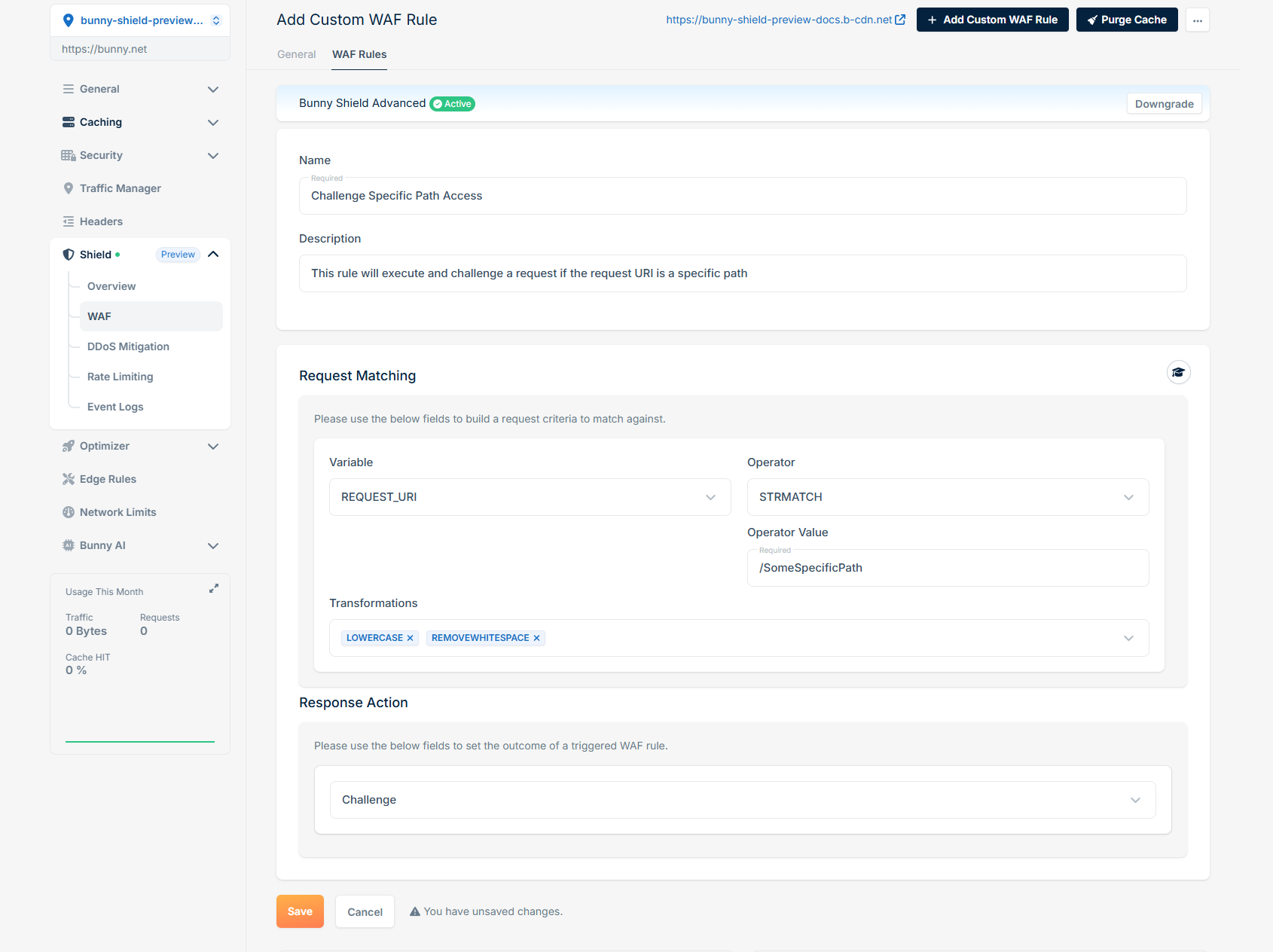
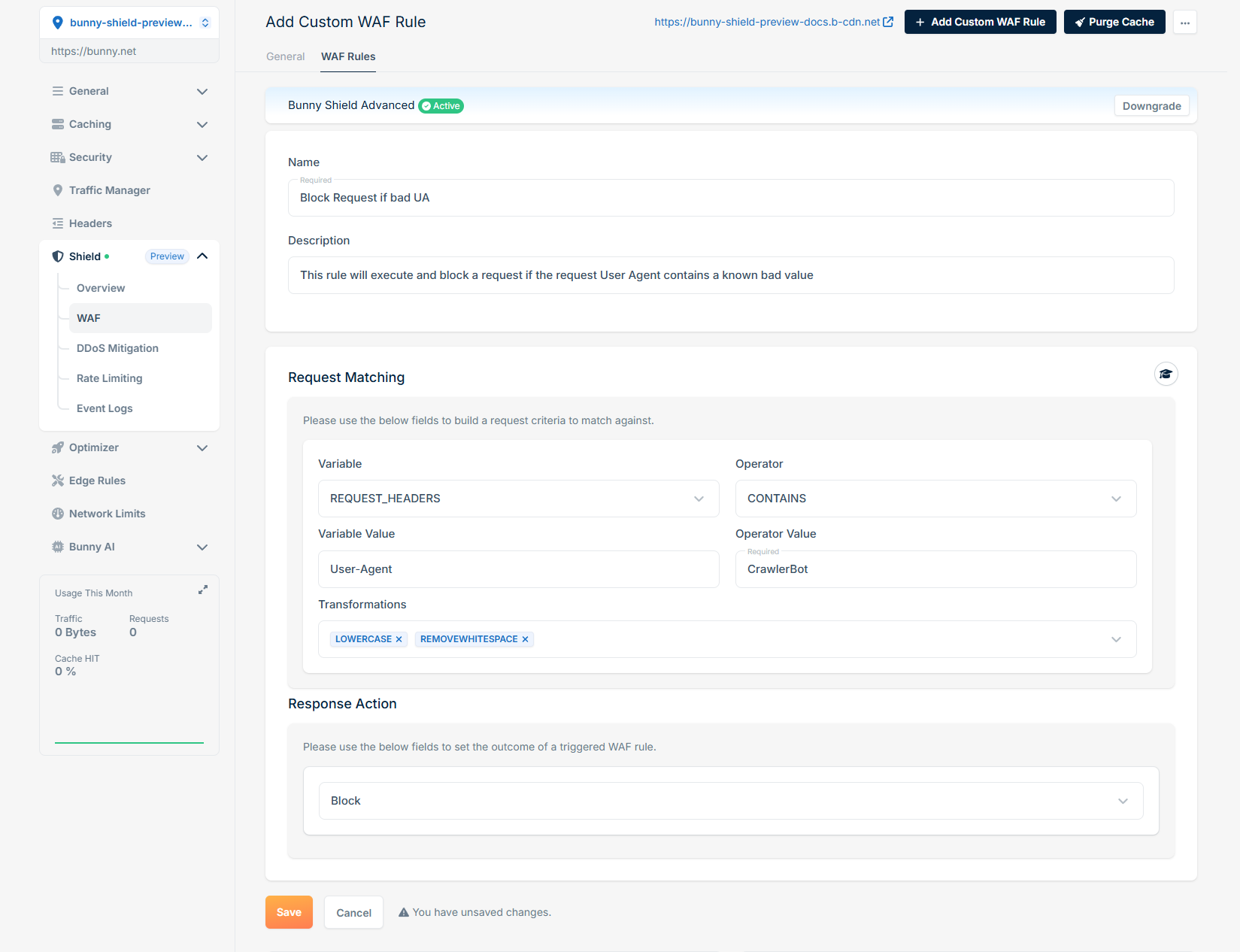
Block request if User-Agent is a known crawler
To block requests that have a User-Agent matching a known crawler, the rule would be: