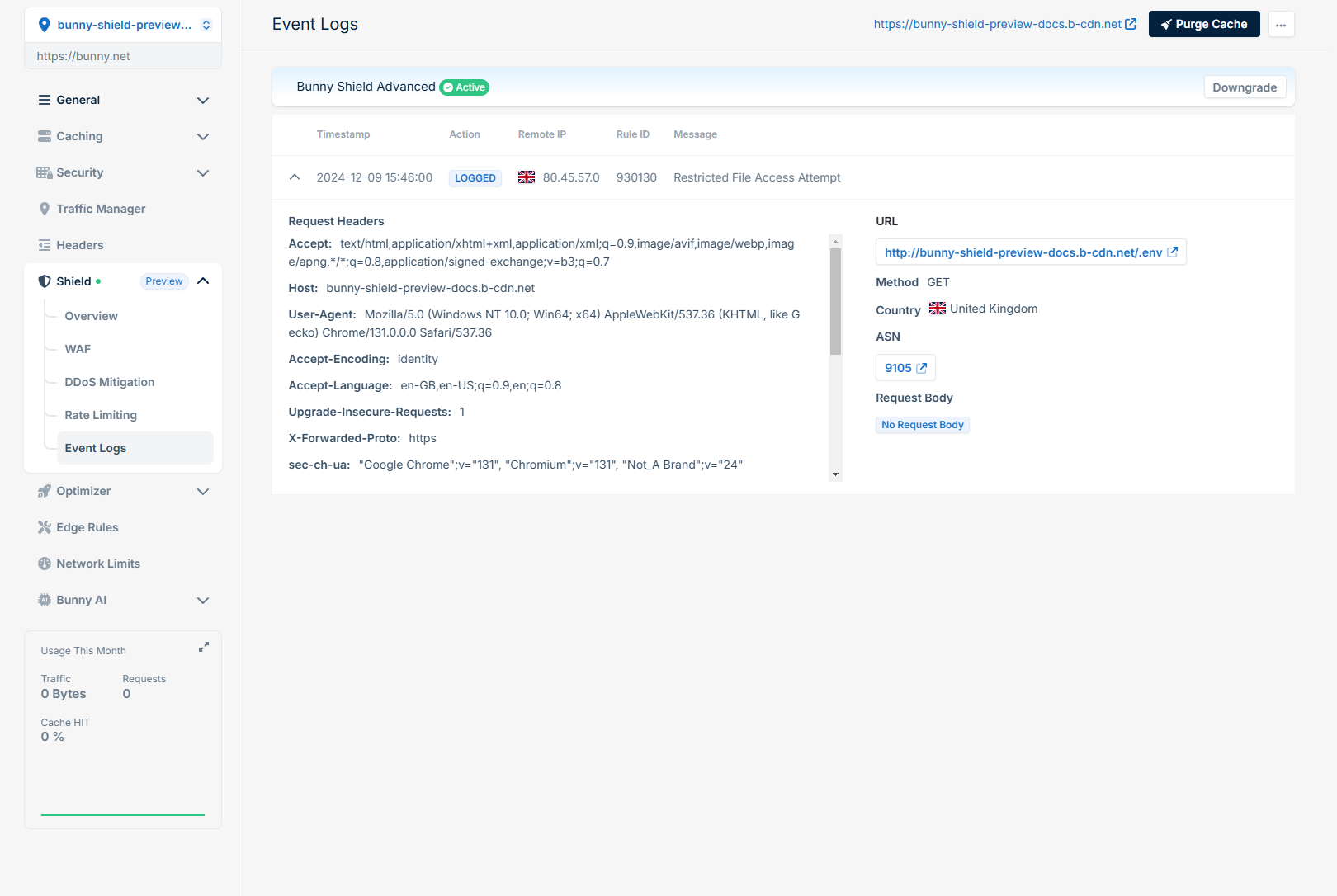
Protecting your web applications from malicious traffic is crucial in today’s digital landscape. Bunny Shield offers a solution to safeguard your website by filtering out unwanted traffic and providing detailed logs for analysis. This quickstart guide will walk you through the initial setup of a Shield Zone and how to review and adjust your Web Application Firewall (WAF) settings. Before you begin, ensure you have an existing Pull Zone you want to protect.

Creating a Shield Zone

1

Get started

Click on the Get Started button.
2

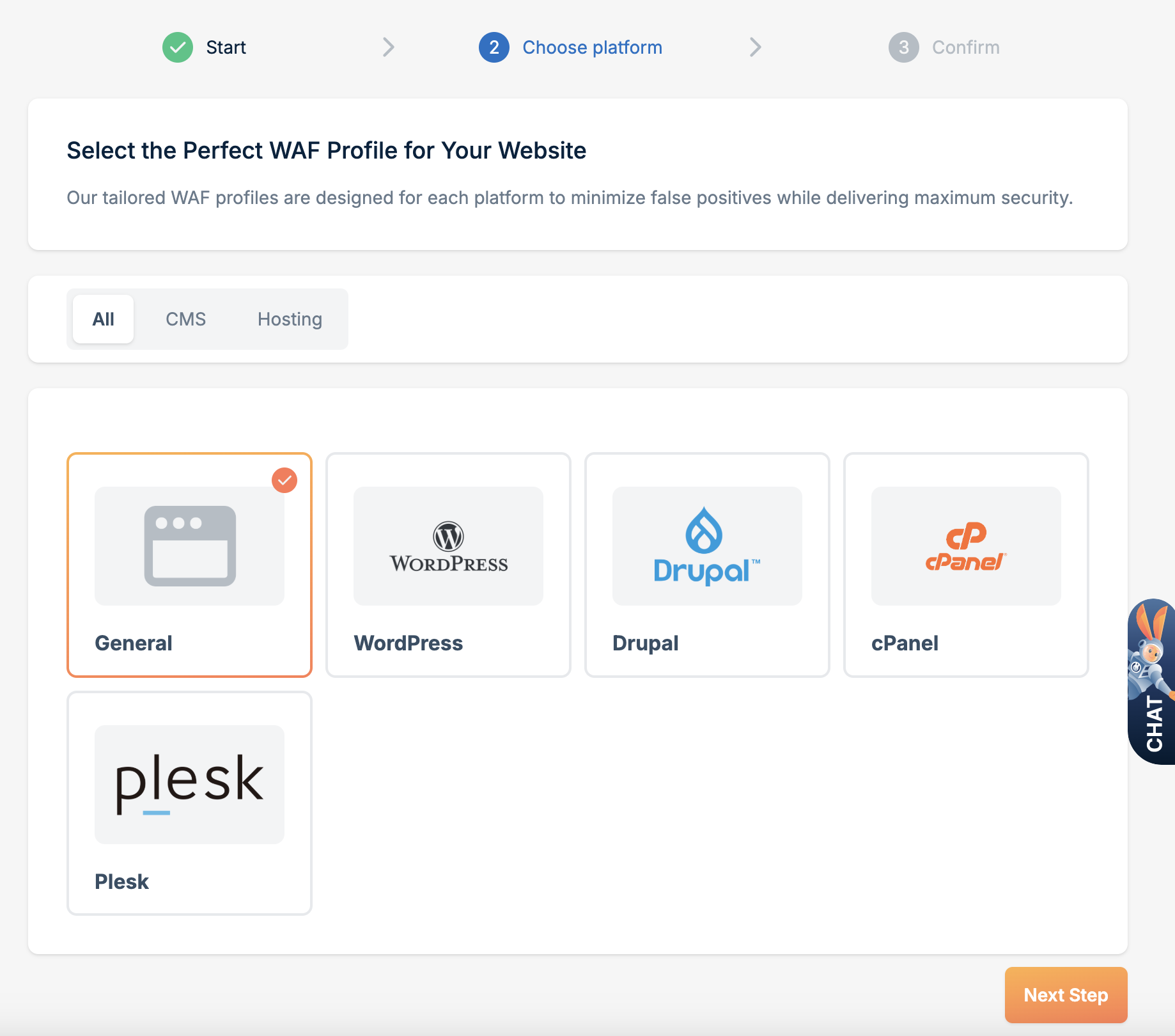
Select a WAF Profile

Select a WAF Profile and click Next Step. Using a WAF Profile reduces the potential for false positives for your web application.
3

Confirm your plan

Ensure you have chosen a plan that fits your needs, and then click Confirm.

Reviewing logs

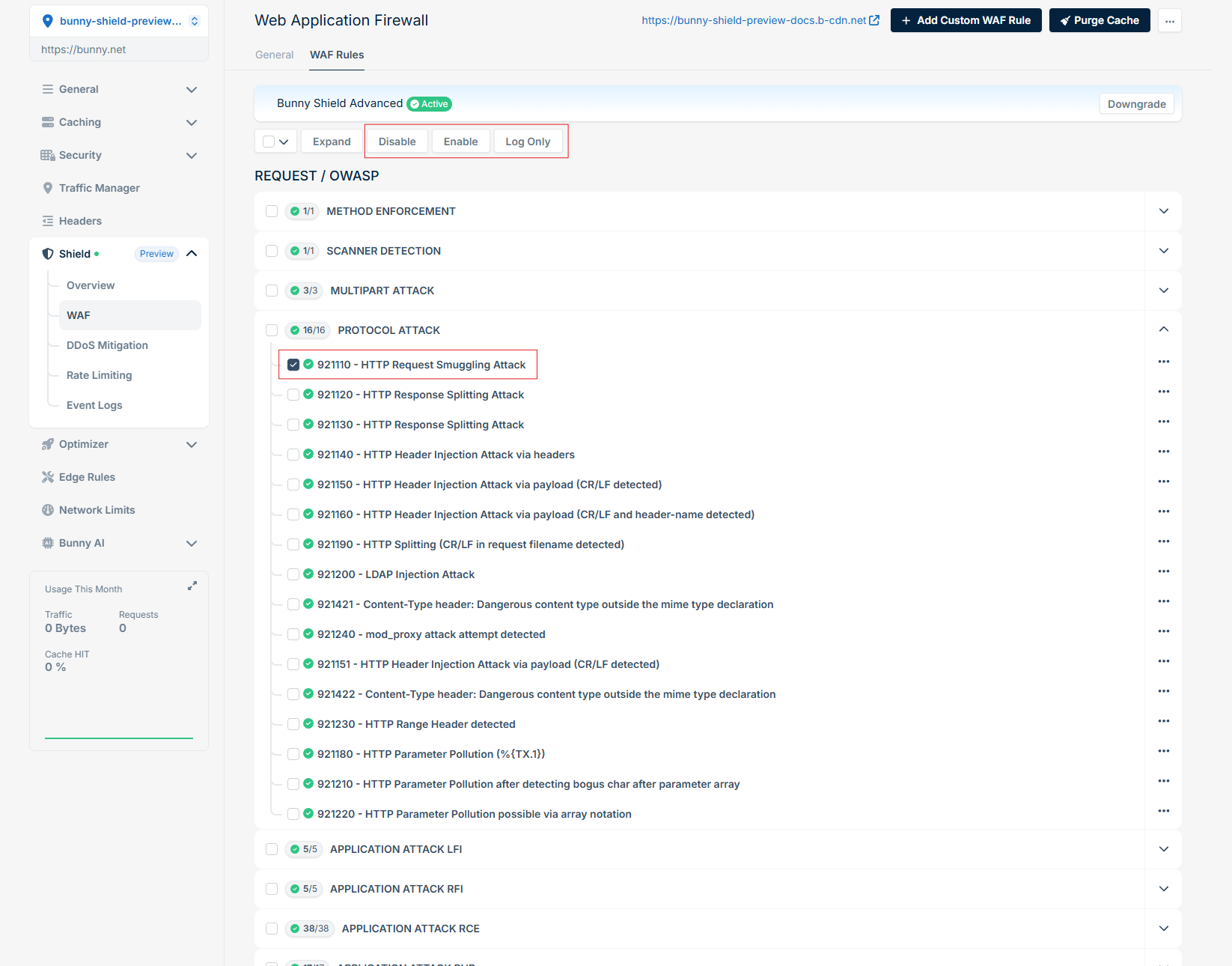
After reviewing the Event Logs, if you see any false positives you can update the specific rule to be logging only, or disable it via WAF > WAF Rules.