

Custom Response Pages are available on Advanced and higher Bunny Shield plans.
Overview
By default, Bunny Shield serves clean, generic response pages whenever a request is challenged, blocked, or rate limited. With Custom Response Pages enabled, you can replace the contents of the page body with your own HTML, allowing you to:- Match your website branding and styling
- Provide additional support or contact information
- Explain why access was restricted
- Offer troubleshooting instructions for legitimate visitors
- Create localized or multilingual response pages
Supported Response Types
You can customize the following Bunny Shield response pages:-
Challenge Pages
- Displayed when visitors must complete a verification challenge.
-
Block Pages
- Displayed when Bunny Shield blocks a request due to security policies.
-
Rate Limit Pages
- Displayed when a visitor exceeds configured rate limits.
How It Works
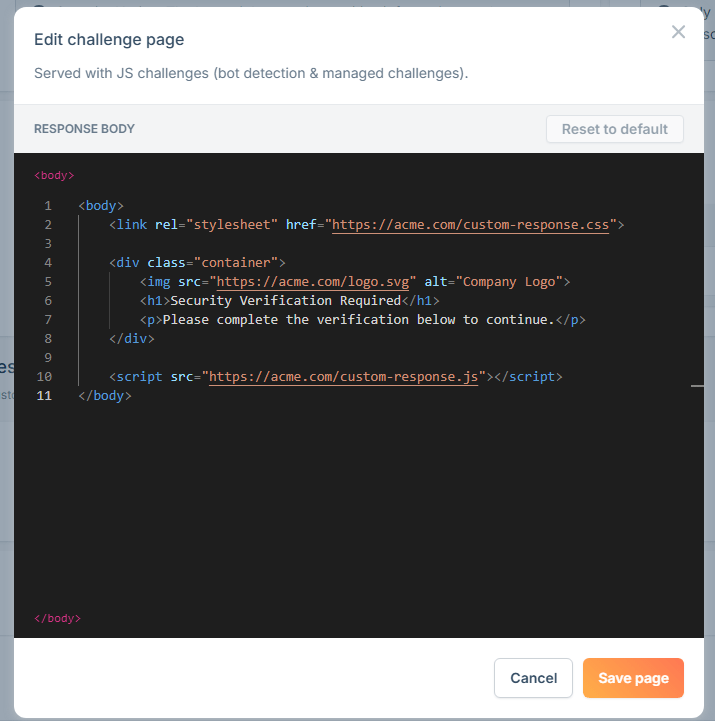
Bunny Shield provides a customizable HTML editor for each response page type. For security and reliability reasons, only the contents within the page’s<body> element can be customized. The editor already wraps your code in a <body> element, so you only need to provide the content that goes inside it. Within the body, you can include your own HTML, CSS, JavaScript, and external assets to fully customize the visitor experience.
Configuring Custom Response Pages
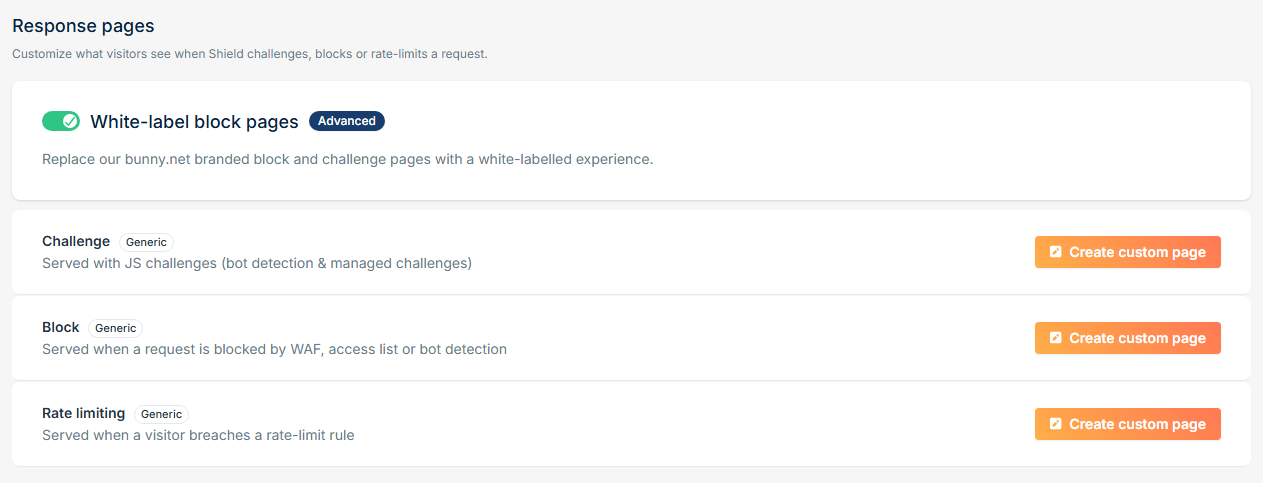
To configure custom response pages:- Open your Shield Zone.
- Navigate to Settings -> Response Pages.
- Enable White-label block pages.
- Click Create custom page for the response you’d like to customize.
- Edit the HTML body content.
- Save your changes.
Response Page Configuration
HTML Editor
Example Use Cases
Branded Challenge Page
Add your company logo, colors, and messaging to create a seamless verification experience.Custom Block Page
Provide additional information for visitors who may have been blocked unintentionally.Custom Rate Limit Page
Help users understand temporary access restrictions.Fallback Behavior
If a custom response page is not configured, Bunny Shield automatically serves a generic, non-branded response page. These default pages provide a clean and professional experience without displaying Bunny.net branding.Best Practices
When creating custom response pages, we recommend:- Keeping messaging clear and concise.
- Explaining why the visitor is seeing the page.
- Providing support or contact information where appropriate.
- Ensuring branding matches your website.
- Avoiding excessive scripts or external dependencies.
- Testing pages on desktop and mobile devices.
Frequently Asked Questions
Can I modify the entire HTML document?
No. Bunny Shield only allows customization of the content within the page’s<body> element. This includes any HTML, CSS, and JavaScript you wish to add, including <style>, <script>, and external <link> tags.
The surrounding document structure, response handling, challenge functionality, and security controls remain managed by Bunny Shield to ensure the page continues to function correctly.