DDoS Mitigation absorbs large-scale and sophisticated attacks at the edge using stateful request validation, JavaScript Proof-of-Work challenges, and behavioral analysis. These protections run in line with the rest of Bunny Shield, so legitimate users aren’t delayed by the additional checks.
Key Features
- Stateful Request Tracking: Bunny Shield uses stateful validation to inspect and verify each incoming request. This filters bad traffic while keeping false positives low and legitimate users unaffected.
- JavaScript Proof-of-Work (PoW) Challenge: The JavaScript Proof-of-Work (PoW) Challenge adds an additional layer of security by requiring browsers to complete a lightweight computational task before accessing your application. This mechanism helps distinguish between legitimate users and automated traffic, effectively mitigating DDoS attacks without degrading the user experience.
- Behavioral Analysis: The Behavioral Analysis feature monitors and evaluates traffic patterns to identify unusual or potentially malicious behavior in real time. By analyzing request characteristics and traffic anomalies, it enhances the platform’s ability to mitigate sophisticated DDoS attacks and other automated threats.
Together, these checks deliver precise mitigation against evolving threats without slowing your application down.
Configuring via API
You can utilize the Bunny Shield API to automate DDoS Mitigation configurations or integrate them into your continuous integration and continuous deployment (CI/CD) pipelines. This capability allows you to manage your security settings efficiently and consistently across different environments.
Monitoring and Logging
DDoS logs are essential for gaining insights into the traffic patterns and potential threats targeting your application. By analyzing these logs, you can identify unusual activity, monitor the effectiveness of your security measures, and make informed decisions about updating your rules.
You can access detailed logs through the WAF Logging API by sending a GET request to the following endpoint:
Replace {{shieldZoneId}} with your Shield Zone ID. The response returns logs of blocked and allowed traffic that you can analyze further.
Tuning sensitivity
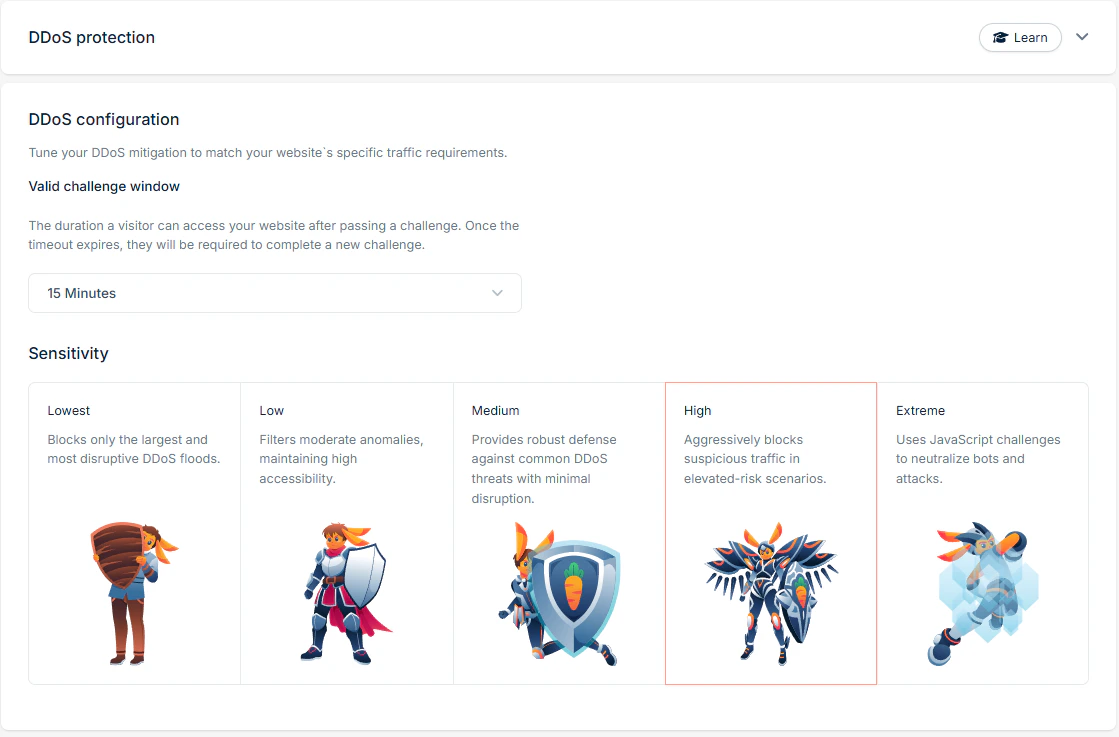
In rare cases, you may find that DDoS mitigation isn’t aggressive enough to react to bad actors attacking your domain. Understanding the sensitivity levels and the logic behind them helps you decide how to respond.
DDoS mitigation is stateful: as requests reach the Shield layer, multiple checks are performed on each one. Higher sensitivity levels validate more rigorously and react faster to bad-actor patterns. During a real attack, a domain on High sensitivity will typically remove a high-impact bad actor and present a Shield challenge faster than a domain on Low. Review how your site is impacted and choose the level that fits.
When mitigation triggers, the Shield challenge asks the client to complete a lightweight computational task. Passing the challenge allows the request through; failing it stops automated traffic from going any further. If you’re seeing suspected automation or recurring attack patterns, increasing sensitivity beyond Low raises the chance that those bad actors are challenged and blocked.
Best Practices
- Match Sensitivity to Risk: Start with Medium (2) sensitivity for most scenarios and adjust to Low (1) High (3), or Extreme (4) based on your application’s traffic patterns and risk profile.
- Pick the right place for PoW Challenges: Use Always-On Mode (DDoS Sensitivity Extreme) for continuous protection in high-risk environments, or configure Custom WAF Rules to challenge specific endpoints or traffic types only when needed.
- Monitor Regularly: Regularly review logs and behavioral data to identify new trends or threats. Adjust your rules and configurations accordingly to maintain optimal protection.
Adapt these practices to your application’s traffic profile to keep your users protected without disruption. Last modified on May 19, 2026

