Environment variables are used to store information or configuration data that your script requires at runtime. They enable you to manage any values separate from the script code. This separation ensures that variable values are not exposed and stored in your scripts or version control systems but rather configured in the runtime.
For sensitive data such as API keys, passwords, or tokens, use environment secrets instead. Secrets are encrypted and cannot be viewed once set.

Adding environment variables

To add environment variables to your script, follow these steps:
  1. Log in to the bunny.net dashboard.
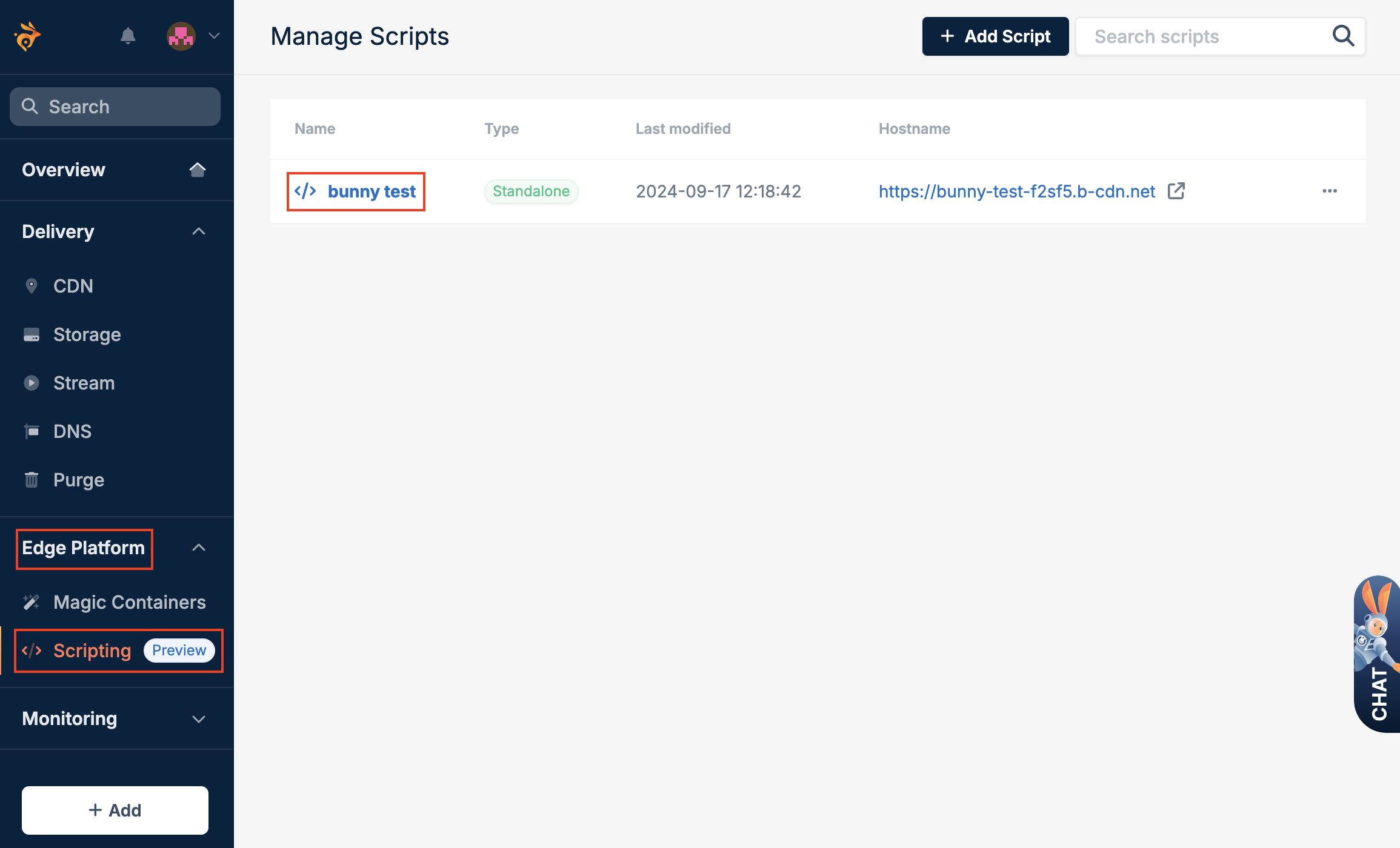
  2. Select Edge Platform, click on Scripting, and select the script.
  1. Select Env Configuration and Environment Variables, and fill in the details of the variable you want to create.
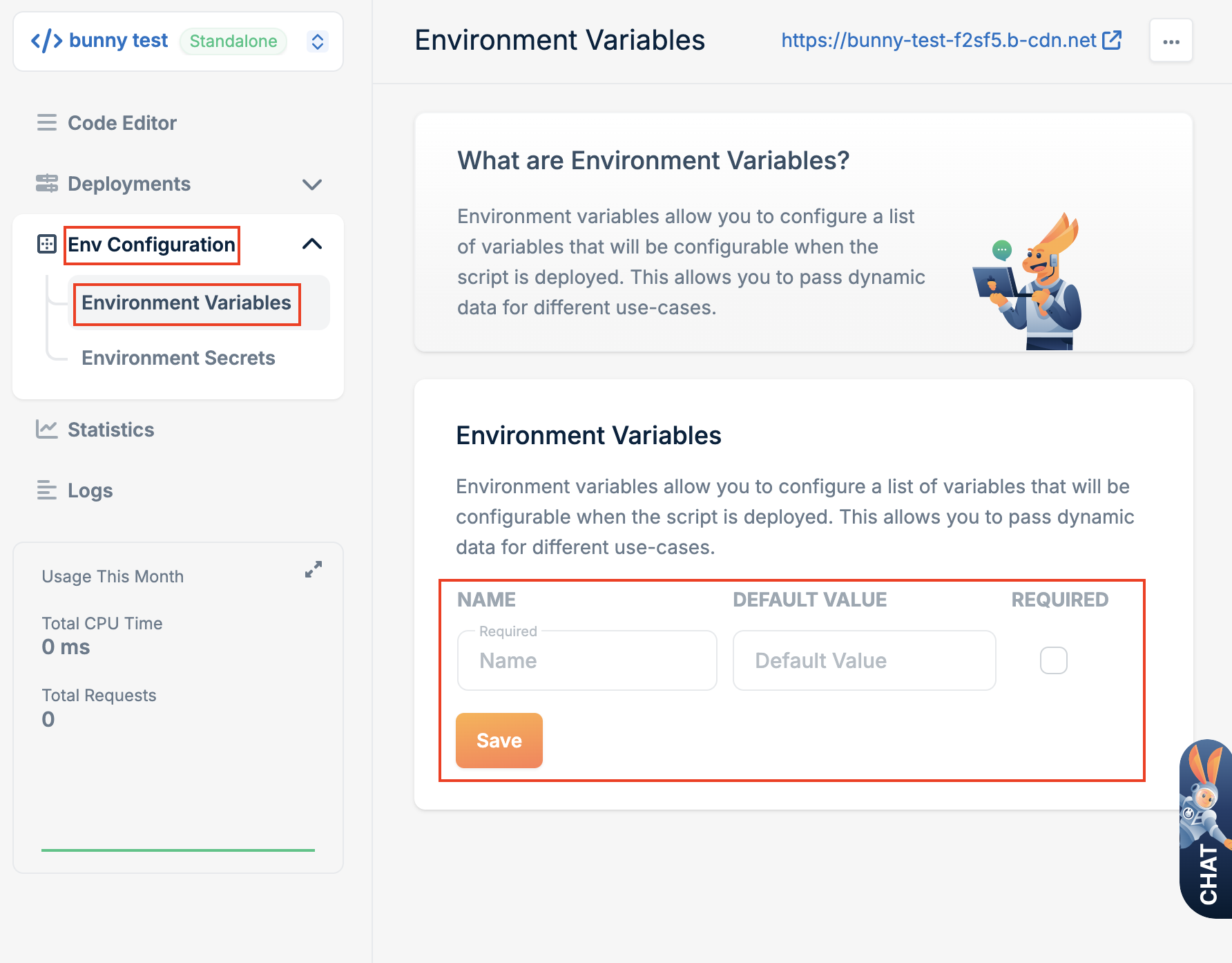
  1. Click Save.

Using environment variables

You can access environment variable value in the script code using node process module or using Deno.env. The following script example shows how to access an environment variable value using node process module:
import * as BunnySDK from "https://esm.sh/@bunny.net/[email protected]";
import process from "node:process";

BunnySDK.net.http.serve(
  async (request: Request): Response | Promise<Response> => {
    // Load environment variable named OriginUrl
    const originUrl = process.env.OriginUrl;

    // Parse initial url
    const url = new URL(request.url);

    // Rewrite and fetch request from origin
    return fetch(originUrl + url.pathname);
  },
);
The following script example shows script code with same logic but using Deno.env to access variable value:
import * as BunnySDK from "https://esm.sh/@bunny.net/[email protected]";

BunnySDK.net.http.serve(
  async (request: Request): Response | Promise<Response> => {
    // Load environment variable named OriginUrl
    const originUrl = Deno.env.get("OriginUrl");

    // Parse initial url
    const url = new URL(request.url);

    // Rewrite and fetch request from origin
    return fetch(originUrl + url.pathname);
  },
);