Why Multiple Audio Track Support
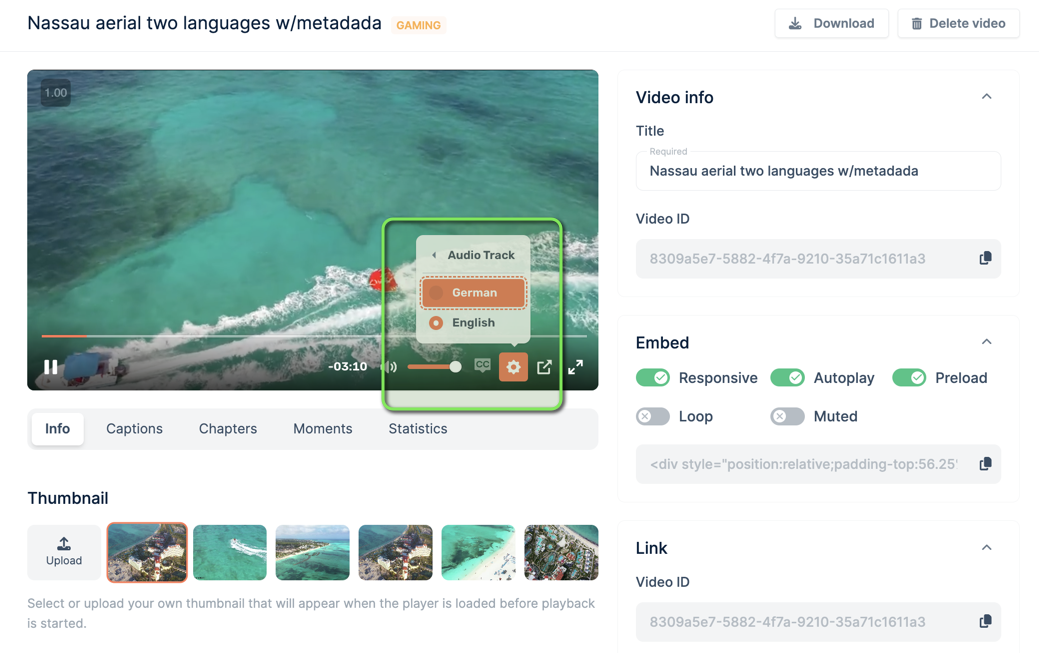
Multiple audio track support opens up a myriad of possibilities for video content creators. By adding different audio tracks, you can:
- Reach a Global Audience by including multiple language tracks to cater to a diverse audience.
- Enhance Accessibility by providing descriptive audio for visually impaired viewers.
- Add Versatilityby including commentary tracks or alternate audio for special editions or director’s cuts.
How it works
Separate audio streams
When encoding your video, our system allows the audio stream to be encoded as a separate stream of chunks. This approach is highly recommended as it ensures the audio is in a separate stream and is loaded independently. This separation not only improves loading times but also ensures a seamless and flexible viewer experience.
Respecting original files
If your original file already contains multiple audio streams, our system will respect this and display the available audio tracks in the player. This means viewers can easily switch between different audio tracks, such as different languages or dubbing options, enhancing the flexibility and accessibility of your content.
The entire process, from encoding to playback, is streamlined and efficient. All audio tracks and their associated descriptions are automatically transferred to the HLS (HTTP Live Streaming) output format, which is the format we support. This ensures a smooth and consistent viewer experience across all devices and platforms.
Enabling multi-audio support
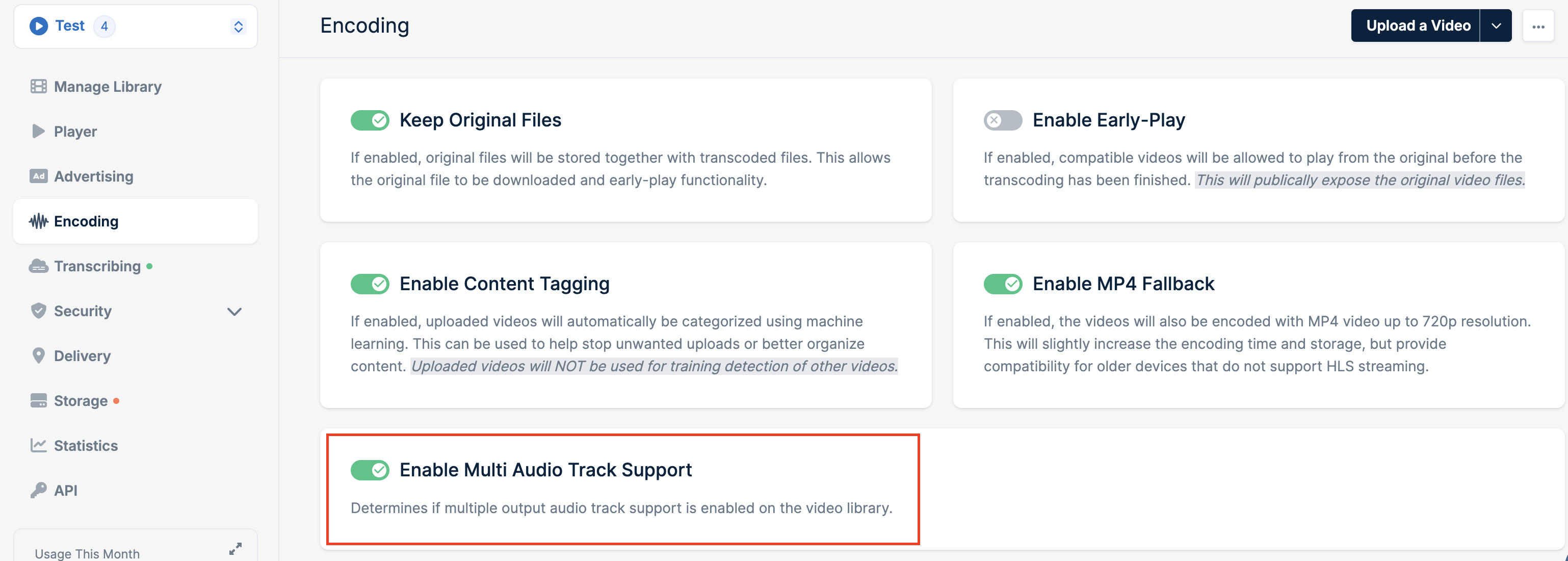
You can enable multiple audio track support on encoding tab of library settings by toggling Enable Multi Audio Track Support:
Need help or encountered issues?
If you encounter any difficulties or have questions while following this guide, our support team is here to assist you. Please don’t hesitate to contact us via the support request form for prompt assistance. Our dedicated support team is ready to help you resolve any issues you might face during the deployment process, provide additional guidance, or answer your questions.Last modified on May 19, 2026

