

They are not public, You cannot generate a public URL for a collection, And
they do not function as playlists. Their sole purpose is to help you keep
your video content neatly arranged in folders.
How to Add a Collection
Creating a collection is quick and easy:- Open the Video Library where you want to add the collection.
- Click the + Add Collection button in the top-right corner.
- Enter a name for your collection.
- Done! Your new collection will appear as a folder in the library view
How to upload a video to a collection?
To upload videos directly into a collection:- Click on the collection folder in your library to open it.
- Use the regular Upload button.
- Select one or more video files to upload.
- The uploaded videos will automatically be saved inside that collection.
How to move videos between collections?
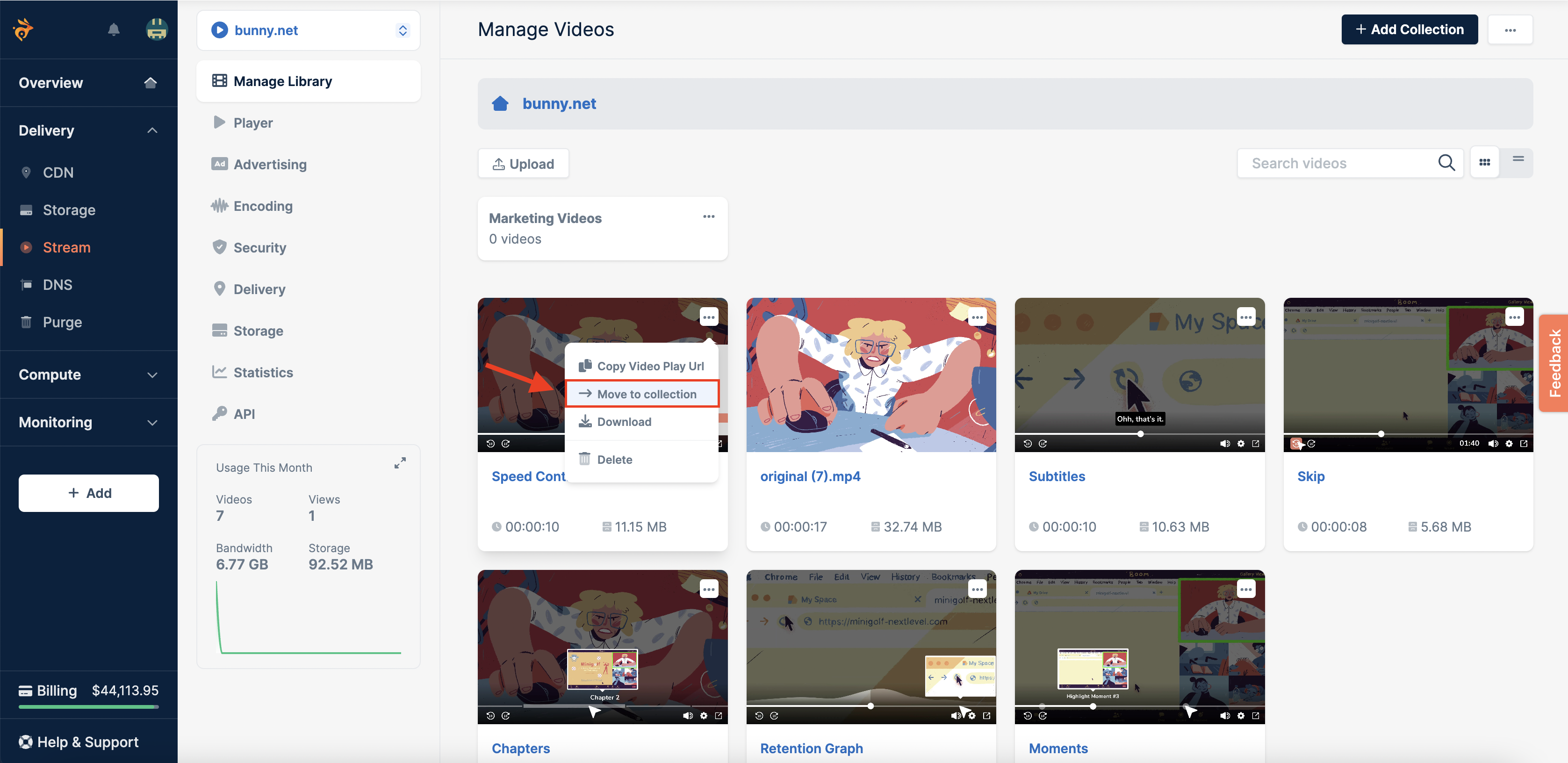
You can move existing videos to a different collection using two methods: Drag and Drop Simply drag the video thumbnail and drop it into the desired collection folder. Using the Context Menu If you have many collections and prefer a more precise method:- Click the three dots (…) on the video you want to move.
- Select Move to collection from the menu.
- In the pop-up window, choose the target collection.
-
Click Confirm, the video will be moved.
Moving Multiple Videos to Collections (API Method)
If you need to move multiple videos to one or more collections in bulk, please note that this functionality is not currently available through the dashboard. However, it can be automated using the Update Video API by passing the desiredcollectionId to each video.