What you’ll need
Before you dive in, make sure you have the following prerequisites in place:- A bunny.net account (Log in or sign up for a free trial).
- A video library already created. It can be done via Website (Follow “Step 1” in the Stream Quickstart to create a video library. An incorrect library ID will result in upload failure) or via API (use the “Add Video Library” HTTP call explained in the Stream API Reference guide).
Obtaining your stream API Key
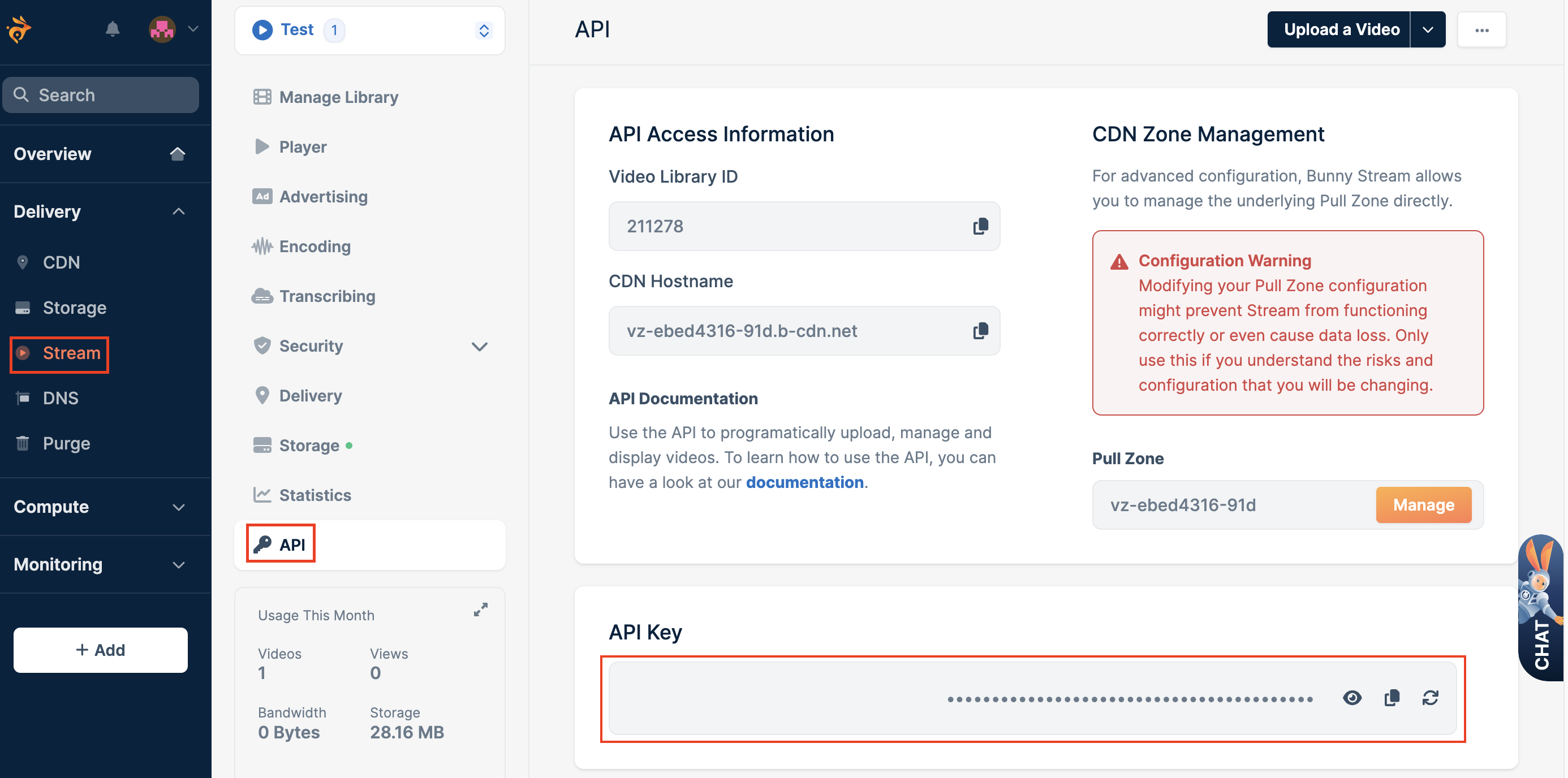
To obtain your stream API key, follow the steps below:- Go to the Stream section and select your video library.
- Click on the API section and here you can copy your Stream API key.