Token authentication blocks requests to your Pull Zone unless a valid signed token is included. Use it to protect premium content, create expiring download links, or restrict access by country or IP.

Choose a method

MethodHashFeatures
BasicMD5Expiry, optional IP validation
AdvancedSHA256Expiry, IP validation, geo-restrictions, directory tokens, speed limits
Both methods can be used on the same Pull Zone. Start with Basic for simple expiring URLs. Use Advanced if you need geo-restrictions, directory-level access for video streaming, or speed limits.

Enable token authentication

1

Open your Pull Zone

Go to CDN, select your Pull Zone, then click Security.
2

Enable and copy your key

Toggle Token Authentication on and copy the URL Token Authentication Key.
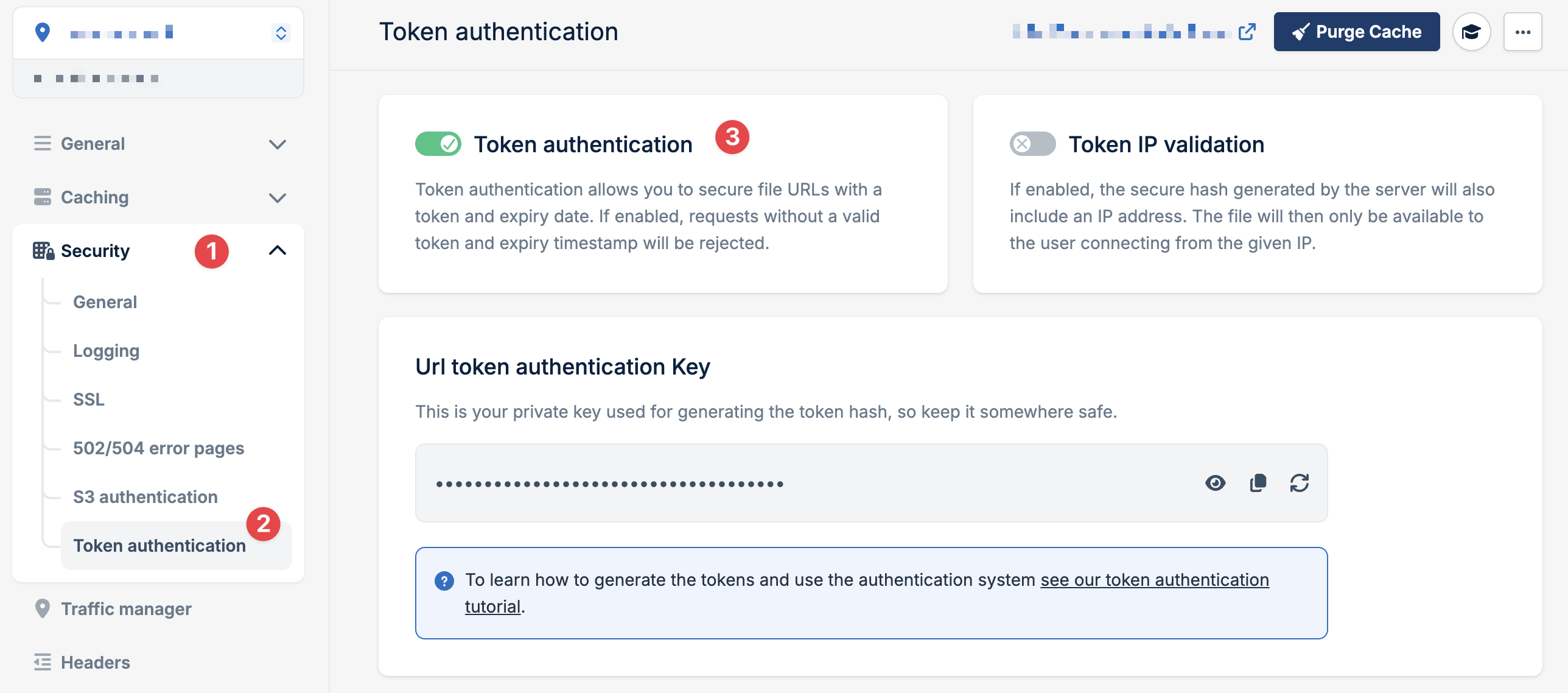
Enable token authentication
Keep your security key secret. Anyone with access to this key can generate valid tokens.

How it works

Your application signs each URL by creating a hash from your security key, the URL path, and an expiration time:
https://myzone.b-cdn.net/video.mp4?token=abc123&expires=1598024587
Bunny recalculates the hash on each request. If it matches and the expiration hasn’t passed, the request succeeds.
IPv6 is automatically disabled when token authentication is enabled.