

Origin Shield is not a Web Application Firewall (WAF). It doesn’t filter
or block requests, it strictly minimizes origin traffic. For security features
like WAF, DDoS protection, and bot detection, see Bunny Shield.
How it works
Without Origin Shield — each PoP fetches directly from your origin: Your origin receives three separate requests for the same file. With Origin Shield — all PoPs route through a single cache: Your origin receives one request. Subsequent PoP requests are served from the Origin Shield cache.Enable Origin Shield
1
Open your Pull Zone settings
Go to CDN > Pull Zones and select your zone.
2
Navigate to Origin Shield
Go to Origin Shield in the Caching section.
3
Select a region
Enable Origin Shield and choose a location closest to your origin server.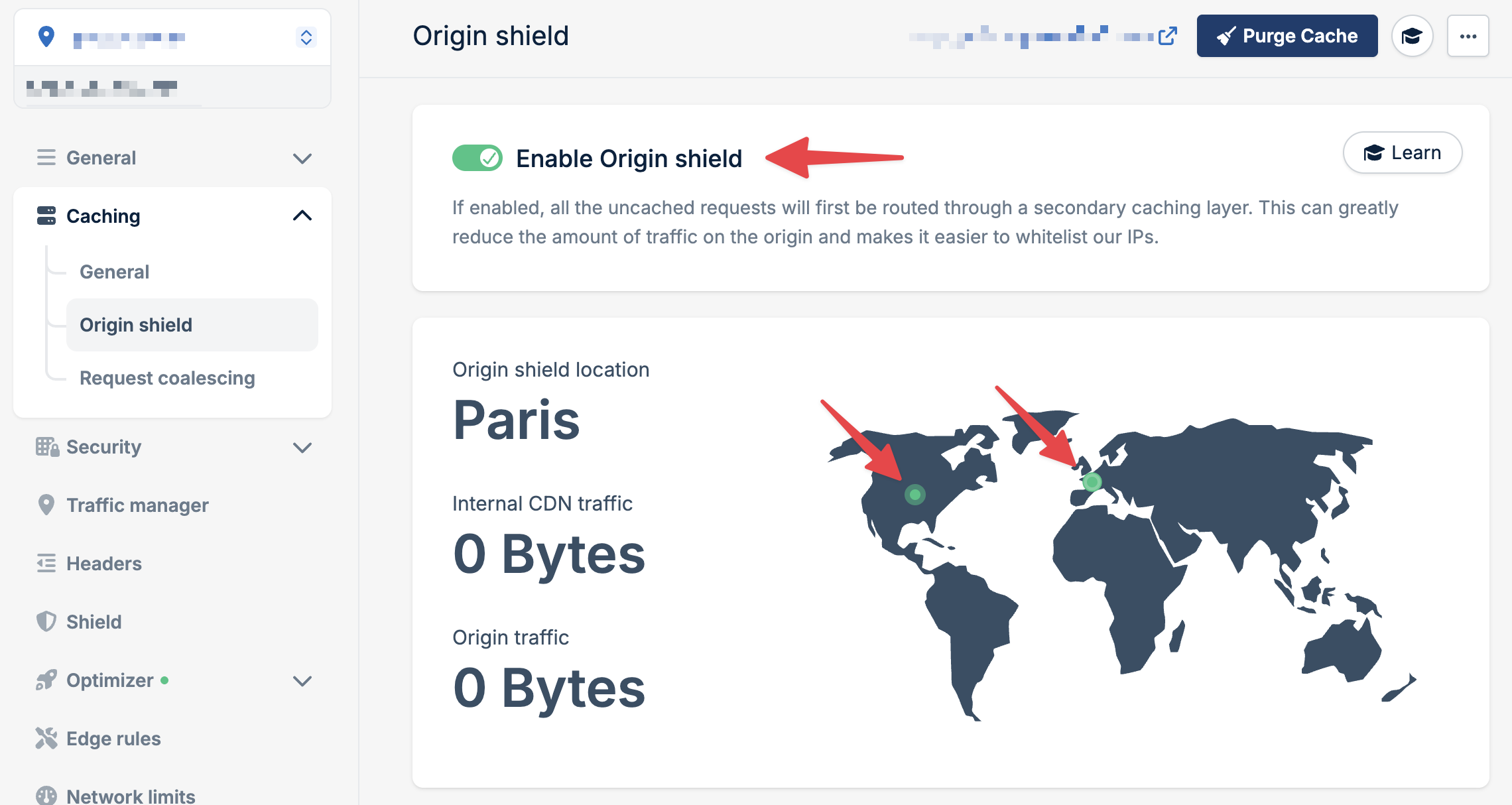
Choosing a region
Select the Origin Shield location that is:- Closest to your origin server’s physical location, or
- In the region with your highest cache HIT rate
Trade-offs
Origin Shield adds an extra network hop between edge PoPs and your origin. Depending on the distance between the Origin Shield location and your origin, this can introduce slight additional latency on cache misses. For most use cases, the reduction in origin load far outweighs this overhead. But if ultra-low latency on cache misses is critical and your origin can handle the traffic, you may want to test with and without Origin Shield.Concurrency limits are especially useful for dynamic content or CPU-intensive
requests where your origin can get slower under high concurrency.