

1
Create a Pull Zone
In the bunny.net dashboard, select Add Pull Zone and configure your origin.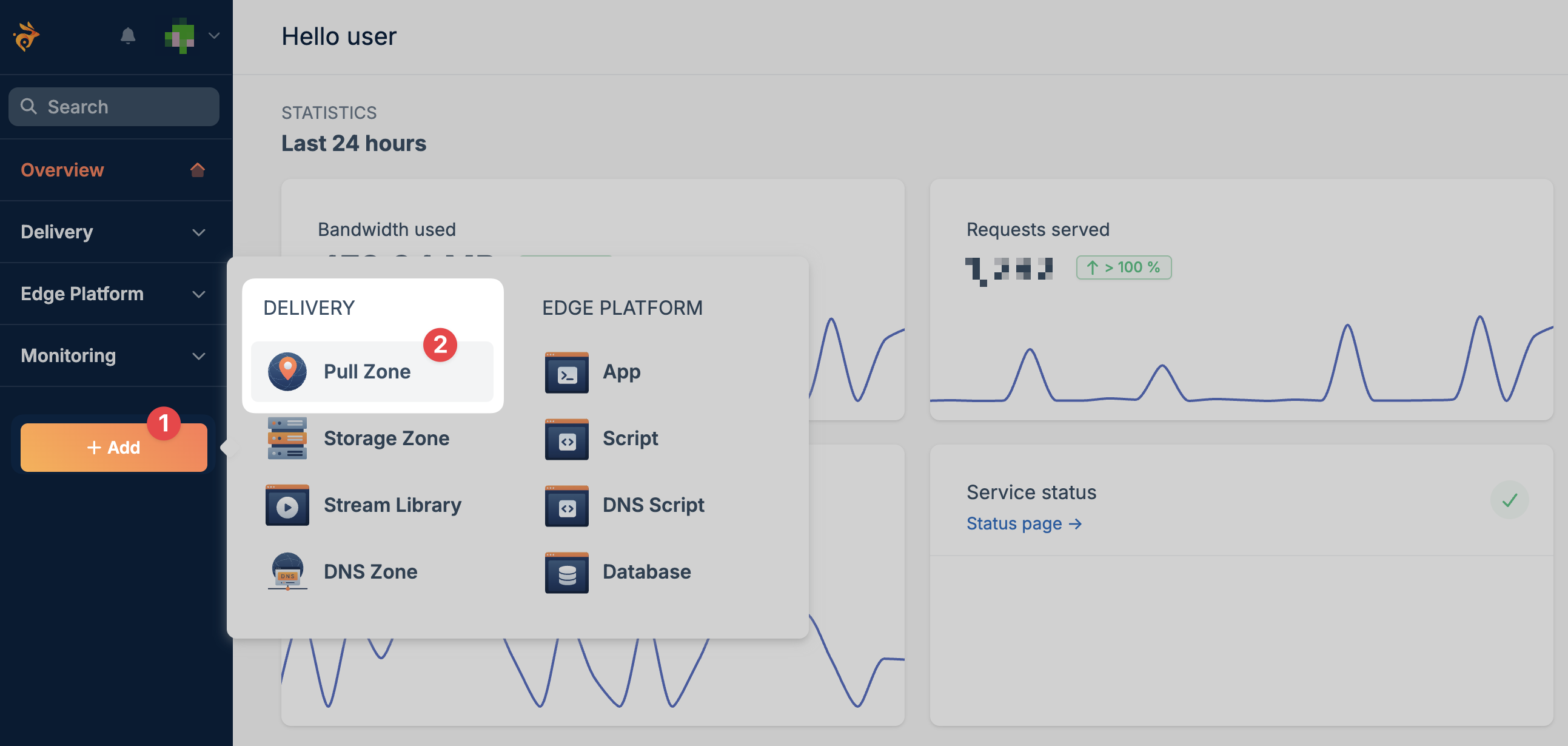
2
Add your hostname
Open your Pull Zone and add your custom hostname (e.g., 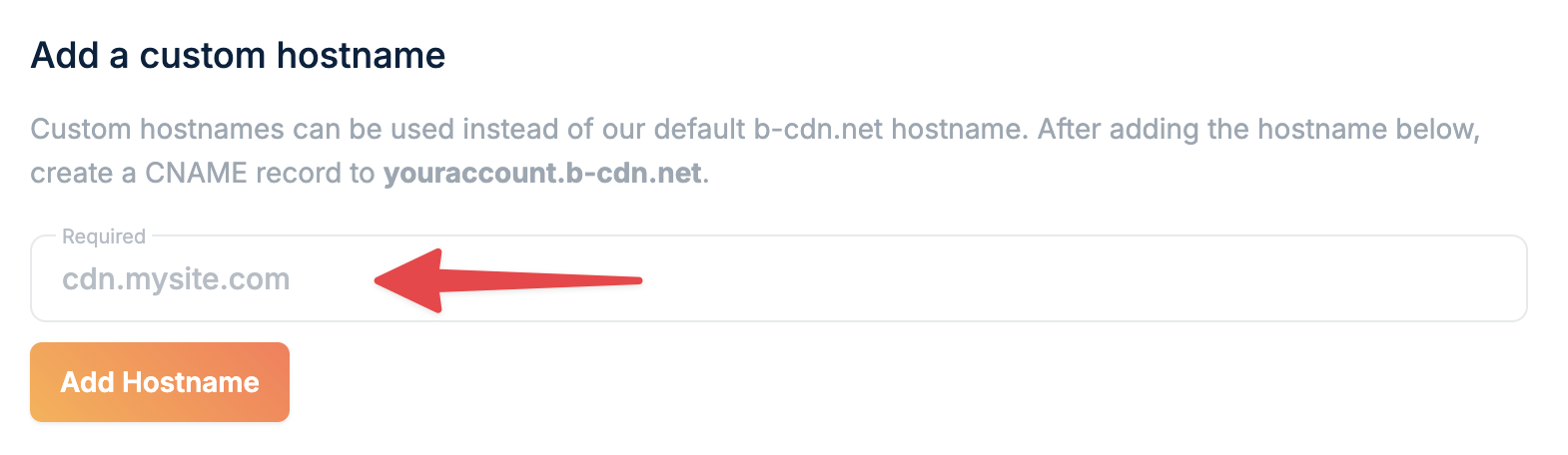
cdn.example.com).The hostname must be fully configured on the Pull Zone before requesting a certificate.
3
Verify domain control
Prove you control the hostname using one of the methods below. Choose DNS if you can edit your domain’s DNS records, or HTTP if you can place a file on the server your domain currently points to. HTTP validation does not support wildcard hostnames, and only one verification (DNS or HTTP) can be pending per hostname at a time.
- DNS (TXT record)
- HTTP (file)
1
Request the certificate
Initiate certificate issuance using DNS validation:This request returns the DNS TXT record required for domain verification.
API Reference
View full endpoint documentation
2
Create the DNS TXT record
Add the returned TXT record to your domain’s DNS zone.Example:Wait until the record is publicly resolvable before continuing.
3
Complete issuance
Finalize the process once the TXT record is live:This validates the DNS record and issues the certificate.
API Reference
View full endpoint documentation
4
Update DNS to use your Pull Zone hostname
After the certificate is issued, update your domain’s DNS records to point to your Pull Zone hostname (e.g.,
yourzone.b-cdn.net).- Use a CNAME record for subdomains (e.g.,
cdn.example.com) - Use an ALIAS/ANAME record if configuring an apex/root domain
5
Automatic renewal
After the initial issuance:
- Certificates automatically switch to HTTP-01 validation
- Renewals happen automatically
- No further DNS changes are required
- For DNS validation, the TXT record must be publicly resolvable before completing the request; propagation time depends on your DNS provider
- For HTTP validation, the challenge file must be reachable over plain HTTP (port 80) on the server your domain currently points to, and wildcard hostnames are not supported
- Only one verification (DNS or HTTP) can be pending per hostname at a time; starting a new request replaces any previous pending one
- Certificate issuance depends on successful validation by the certificate authority