Documentation Index
Fetch the complete documentation index at: https://docs.bunny.net/llms.txt
Use this file to discover all available pages before exploring further.
Create a database
-
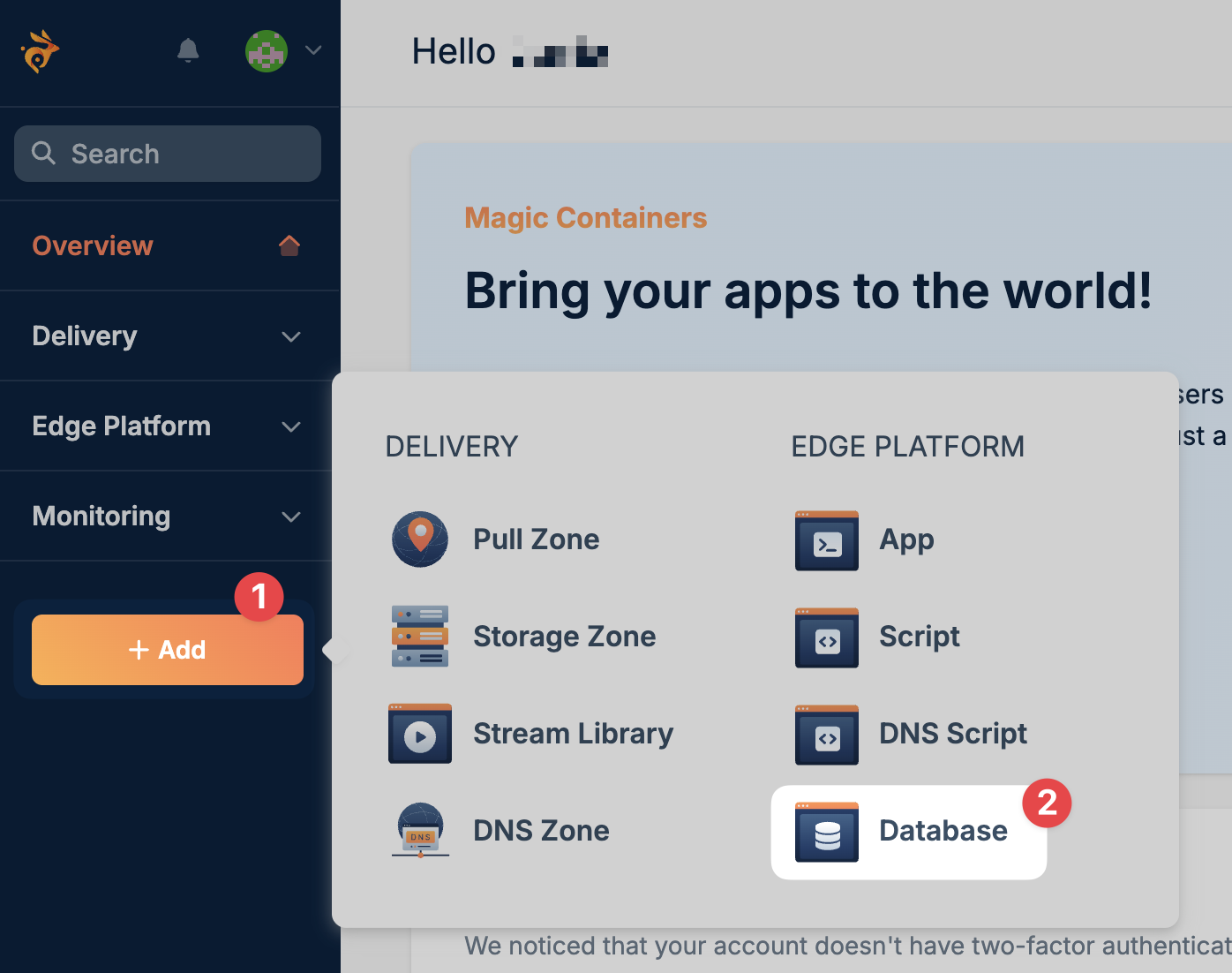
From your Bunny dashboard, click Add in the left-hand sidebar and select Database.
-
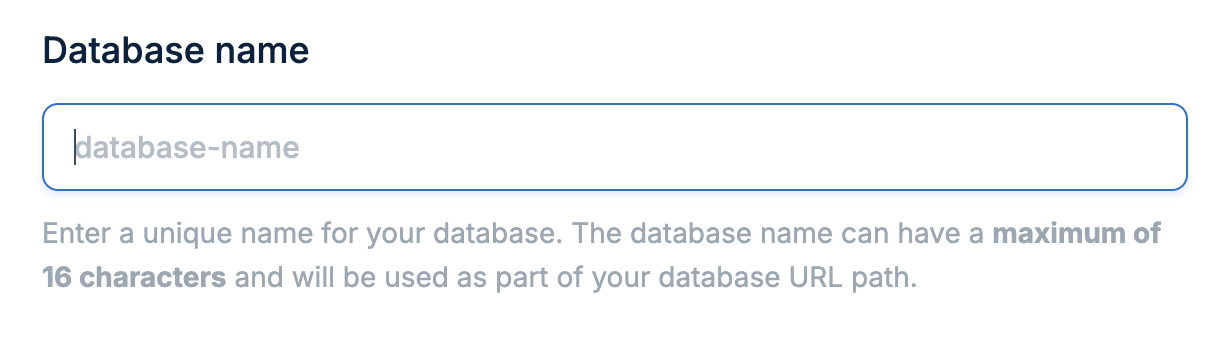
Enter a unique name for your database. This name will be used to identify your database in the dashboard and connection URLs.
-
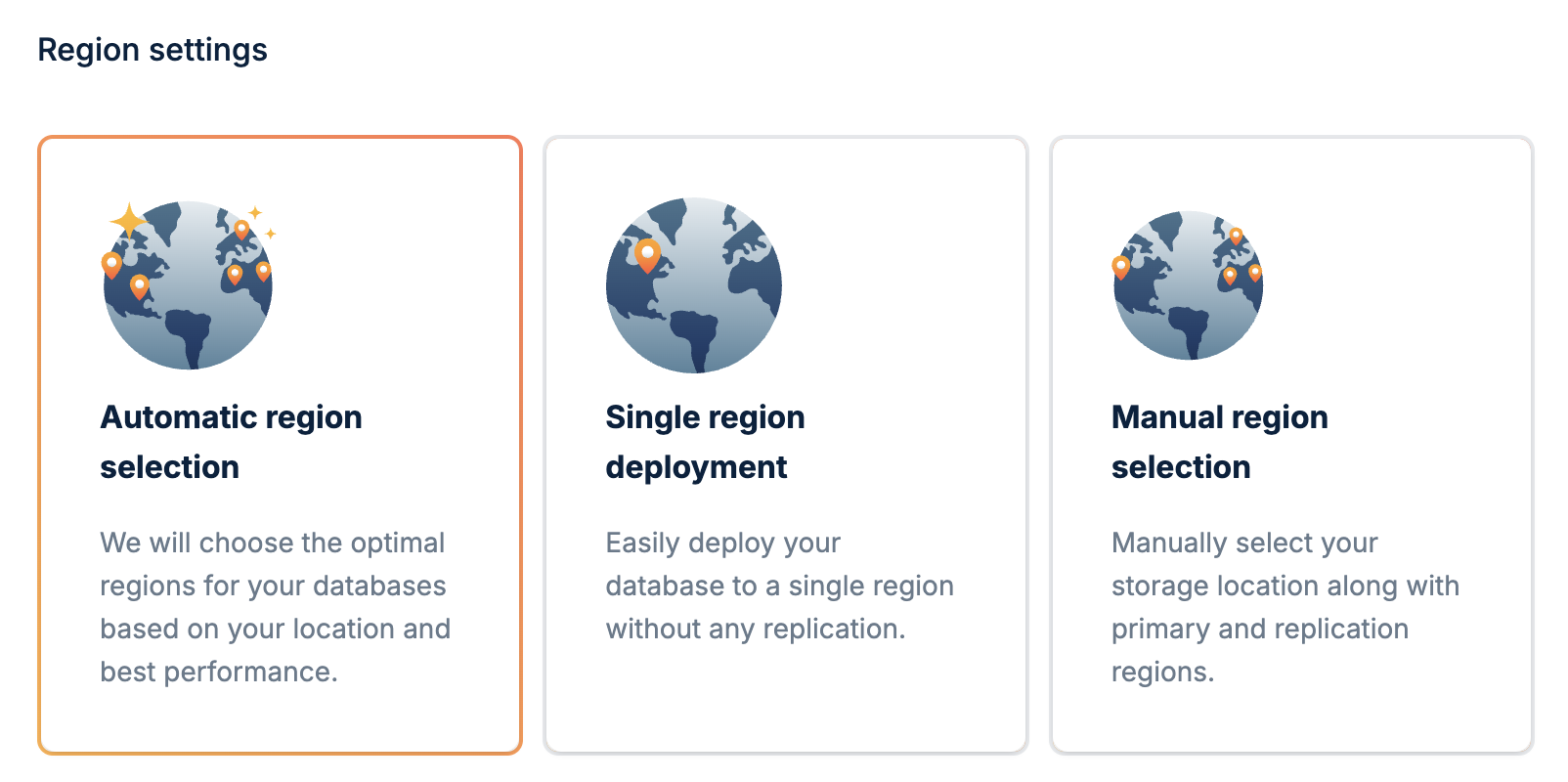
Choose how you want your database deployed:
- Automatic: We will choose the optimal regions for your database based on your location and best performance.
- Single region: Deploy your database to a single region without any replication. Best for development or applications with users in one geographic area.
- Manual: Manually select your storage location along with primary and replication regions. Best for applications with specific latency or compliance requirements.
-
Click Add Database to create your database.
-
Once created, copy your connection credentials:
- Database URL: Your database endpoint
- Access Token: Choose between Full Access (read/write) or Read Only depending on your needs
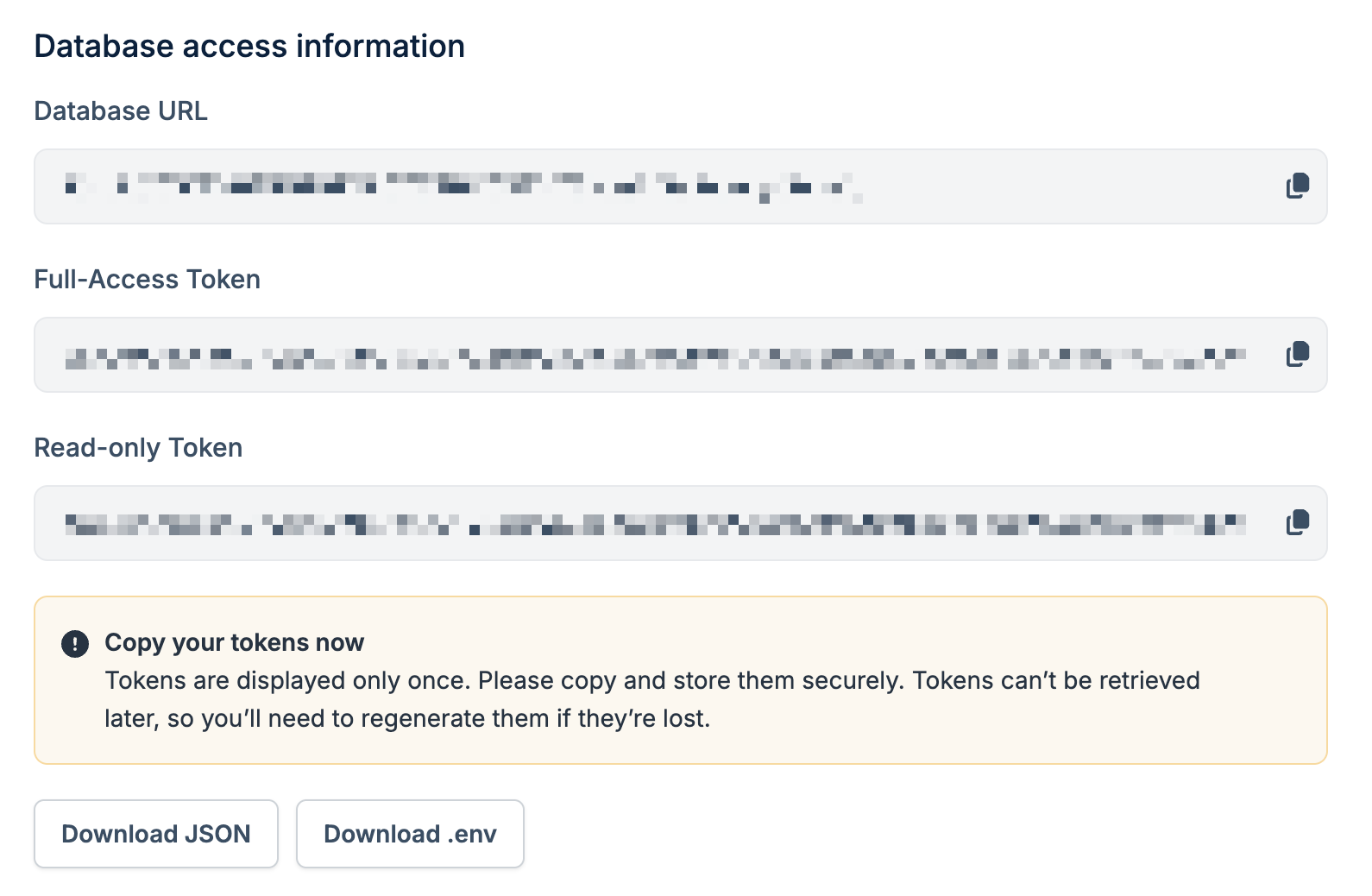
Keep your access tokens secure. Never commit them to version control or expose
them in client-side code.
-
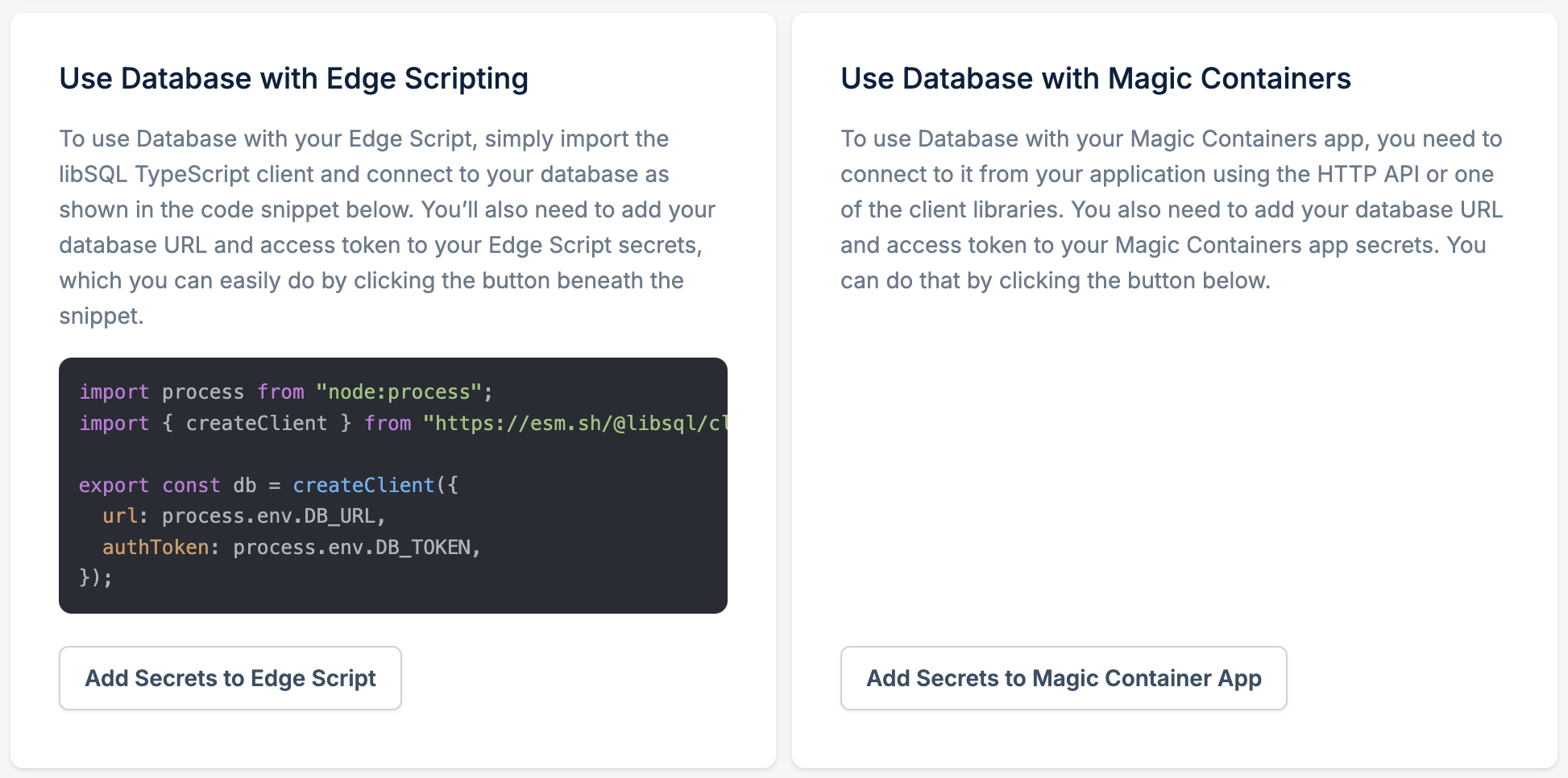
Optional: if you have an existing Edge Script or Magic Container, you can add your database credentials directly from this page:
- Click Add Secrets to Edge Script or Add Secrets to Magic Container Apps
- Select the script or app you want to connect
- The database URL and access token will be added as environment variables automatically
Don’t have the CLI installed? See the CLI quickstart to install and authenticate. Create a database interactively:You’ll be prompted for a name and region mode (automatic, single region, or manual). After creation, the CLI offers to:
- Link the current directory to the database (writes
.bunny/database.json)
- Generate a full-access auth token
- Save
BUNNY_DATABASE_URL and BUNNY_DATABASE_AUTH_TOKEN to a .env file
For a fully non-interactive run (e.g. in CI):bunny db create --name mydb --primary FR
Keep your access tokens secure. Never commit them to version control or
expose them in client-side code.
See bunny db for the full command reference, including bunny db shell for an interactive SQL prompt.Install an SDK and connect
Install the official SDK for your language and connect to your database:Install the libSQL client:npm install @libsql/client
Connect and run queries:import { createClient } from "@libsql/client/web";
const client = createClient({
url: "libsql://your-database-id.lite.bunnydb.net",
authToken: "your-access-token",
});
// Create a table
await client.execute(`
CREATE TABLE IF NOT EXISTS users (
id INTEGER PRIMARY KEY AUTOINCREMENT,
name TEXT NOT NULL,
email TEXT UNIQUE NOT NULL
)
`);
// Insert data
await client.execute({
sql: "INSERT INTO users (name, email) VALUES (?, ?)",
args: ["Kit Hopkins", "kit@bunny.net"],
});
// Query data
const result = await client.execute("SELECT * FROM users");
console.log(result.rows);
Add the libSQL crate to your Cargo.toml:[dependencies]
libsql = "0.6"
tokio = { version = "1", features = ["full"] }
Connect and run queries:use libsql::Builder;
#[tokio::main]
async fn main() -> Result<(), libsql::Error> {
let db = Builder::new_remote(
"libsql://your-database-id.lite.bunnydb.net".to_string(),
"your-access-token".to_string(),
)
.build()
.await?;
let conn = db.connect()?;
// Create a table
conn.execute(
"CREATE TABLE IF NOT EXISTS users (
id INTEGER PRIMARY KEY AUTOINCREMENT,
name TEXT NOT NULL,
email TEXT UNIQUE NOT NULL
)",
(),
)
.await?;
// Insert data
conn.execute(
"INSERT INTO users (name, email) VALUES (?1, ?2)",
("Kit Hopkins", "kit@bunny.net"),
)
.await?;
// Query data
let mut rows = conn.query("SELECT * FROM users", ()).await?;
while let Some(row) = rows.next().await? {
let id: i64 = row.get(0)?;
let name: String = row.get(1)?;
let email: String = row.get(2)?;
println!("User: {} - {} ({})", id, name, email);
}
Ok(())
}
Install the libSQL driver:go get github.com/tursodatabase/libsql-client-go/libsql
Connect and run queries:package main
import (
"database/sql"
"fmt"
"log"
_ "github.com/tursodatabase/libsql-client-go/libsql"
)
func main() {
url := "libsql://your-database-id.lite.bunnydb.net?authToken=your-access-token"
db, err := sql.Open("libsql", url)
if err != nil {
log.Fatal(err)
}
defer db.Close()
// Create a table
_, err = db.Exec(`
CREATE TABLE IF NOT EXISTS users (
id INTEGER PRIMARY KEY AUTOINCREMENT,
name TEXT NOT NULL,
email TEXT UNIQUE NOT NULL
)
`)
if err != nil {
log.Fatal(err)
}
// Insert data
_, err = db.Exec(
"INSERT INTO users (name, email) VALUES (?, ?)",
"Kit Hopkins", "kit@bunny.net",
)
if err != nil {
log.Fatal(err)
}
// Query data
rows, err := db.Query("SELECT * FROM users")
if err != nil {
log.Fatal(err)
}
defer rows.Close()
for rows.Next() {
var id int64
var name, email string
rows.Scan(&id, &name, &email)
fmt.Printf("User: %d - %s (%s)\n", id, name, email)
}
}
Install the libSQL client package:dotnet add package Libsql.Client
Connect and run queries:using Libsql.Client;
var client = DatabaseClient.Create(opts =>
{
opts.Url = "libsql://your-database-id.lite.bunnydb.net";
opts.AuthToken = "your-access-token";
});
// Create a table
await client.Execute(@"
CREATE TABLE IF NOT EXISTS users (
id INTEGER PRIMARY KEY AUTOINCREMENT,
name TEXT NOT NULL,
email TEXT UNIQUE NOT NULL
)
");
// Insert data
await client.Execute(
"INSERT INTO users (name, email) VALUES (?, ?)",
"Kit Hopkins", "kit@bunny.net"
);
// Query data
var result = await client.Execute("SELECT * FROM users");
foreach (var row in result.Rows)
{
Console.WriteLine($"User: {row["id"]} - {row["name"]} ({row["email"]})");
}