

/etc/bunnynet.conf. This file is created automatically during setup, but you can edit it to customize the plugin behavior.
Configuration file
Required settings
Optional settings
DNS cluster settings
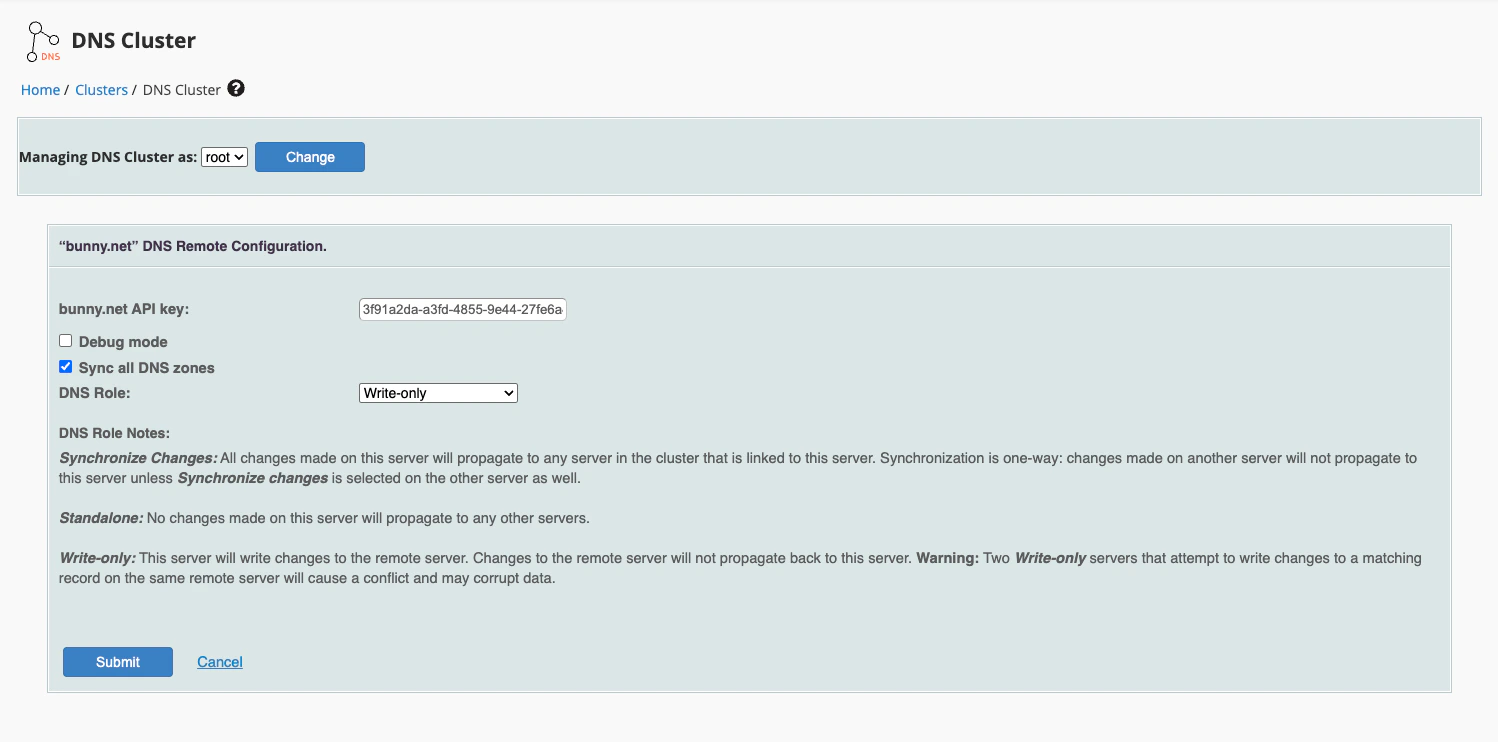
The DNS cluster configuration is available in WHM > Clusters > DNS Cluster. In addition to the API key and DNS role, you can enable:- Sync all DNS zones — Automatically synchronize all existing DNS zones to the cluster. Enable this if you want all current zones to be pushed to bunny.net DNS when setting up the cluster.
Hosting packages
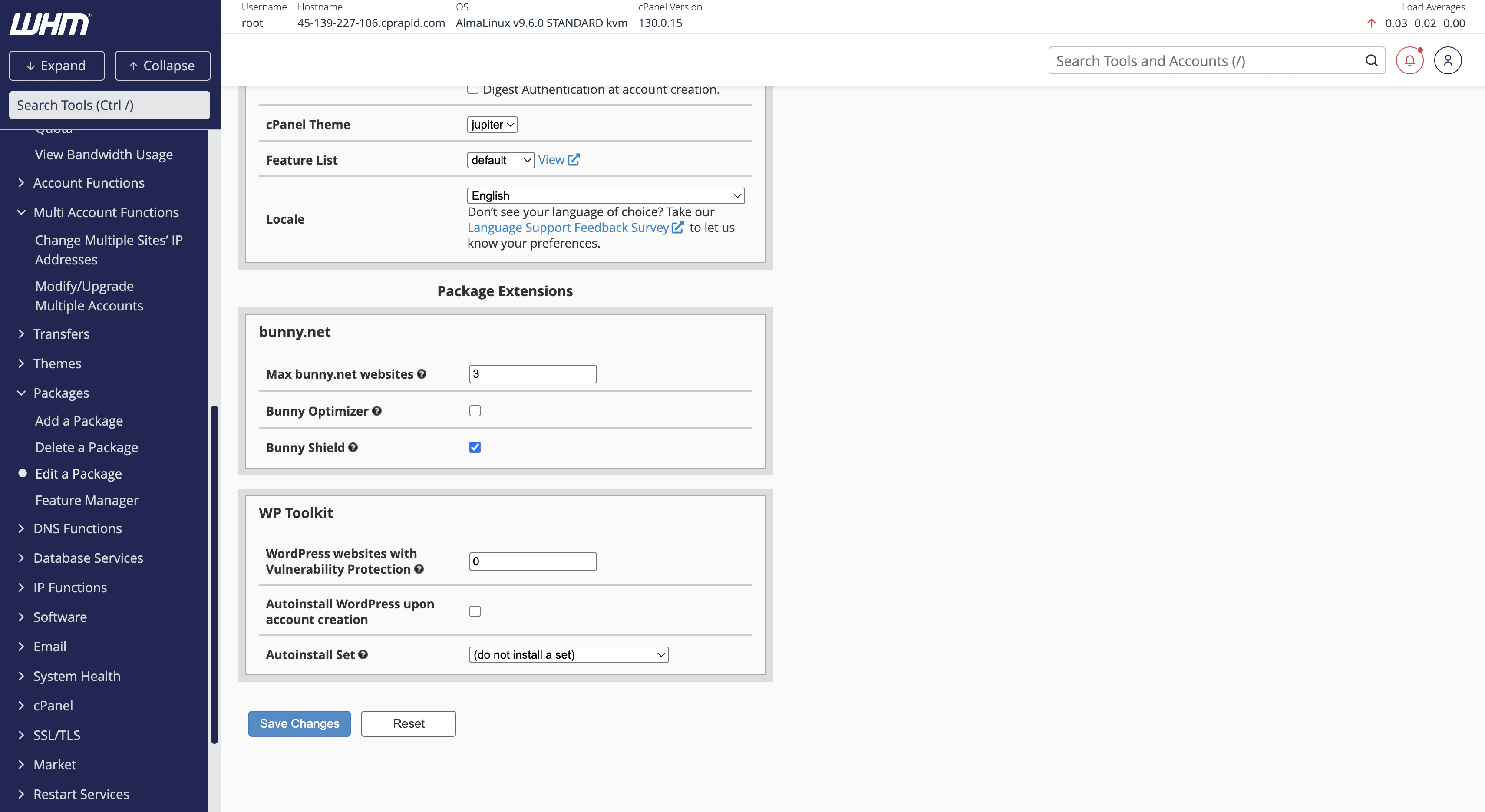
You can configure bunny.net features per hosting package in WHM > Packages > Edit a Package. The following options are available under the bunny.net section:- Max bunny.net websites — Limit the number of websites that can use bunny.net per account
- Bunny Optimizer — Enable or disable image optimization for the package
- Bunny Shield — Enable or disable DDoS protection and WAF for the package
Hiding the plugin for certain packages
If you want to hide the bunny.net plugin from customers on specific packages, you can use WHM’s Feature Manager to create a feature list that excludes it.1
Create a feature list
In WHM, go to Packages > Feature Manager. Create a new feature list or edit an existing one.
2
Disable the bunny.net feature
In the feature list, uncheck bunny.net to hide the plugin from cPanel for customers using this feature list.
3
Assign the feature list to a package
Go to Packages > Edit a Package, select the package you want to restrict, and set the Feature List to the one you created.