> ## Documentation Index
> Fetch the complete documentation index at: https://docs.bunny.net/llms.txt
> Use this file to discover all available pages before exploring further.
# Health Checks
> Configure health checks to ensure your containerized applications are reliable and available.
Health checks verify that your application is functioning correctly and ready to handle incoming requests. By checking startup readiness and ongoing liveness, Magic Containers can prevent issues before they impact your users.
## Health check types
Magic Containers offers three types of health checks:
* **Startup** - Verifies the application has successfully started. No requests are routed until this check passes.
* **Readiness** - Ensures the application is ready to handle incoming requests. We strongly recommend enabling this check to avoid failed requests.
* **Liveness** - Confirms the application is actively running without problems.
## Configuration
Navigate to **Magic Containers**, select your app, click **Container Settings**, then **Edit**.
In the Container Settings menu, select the **Monitoring** tab.
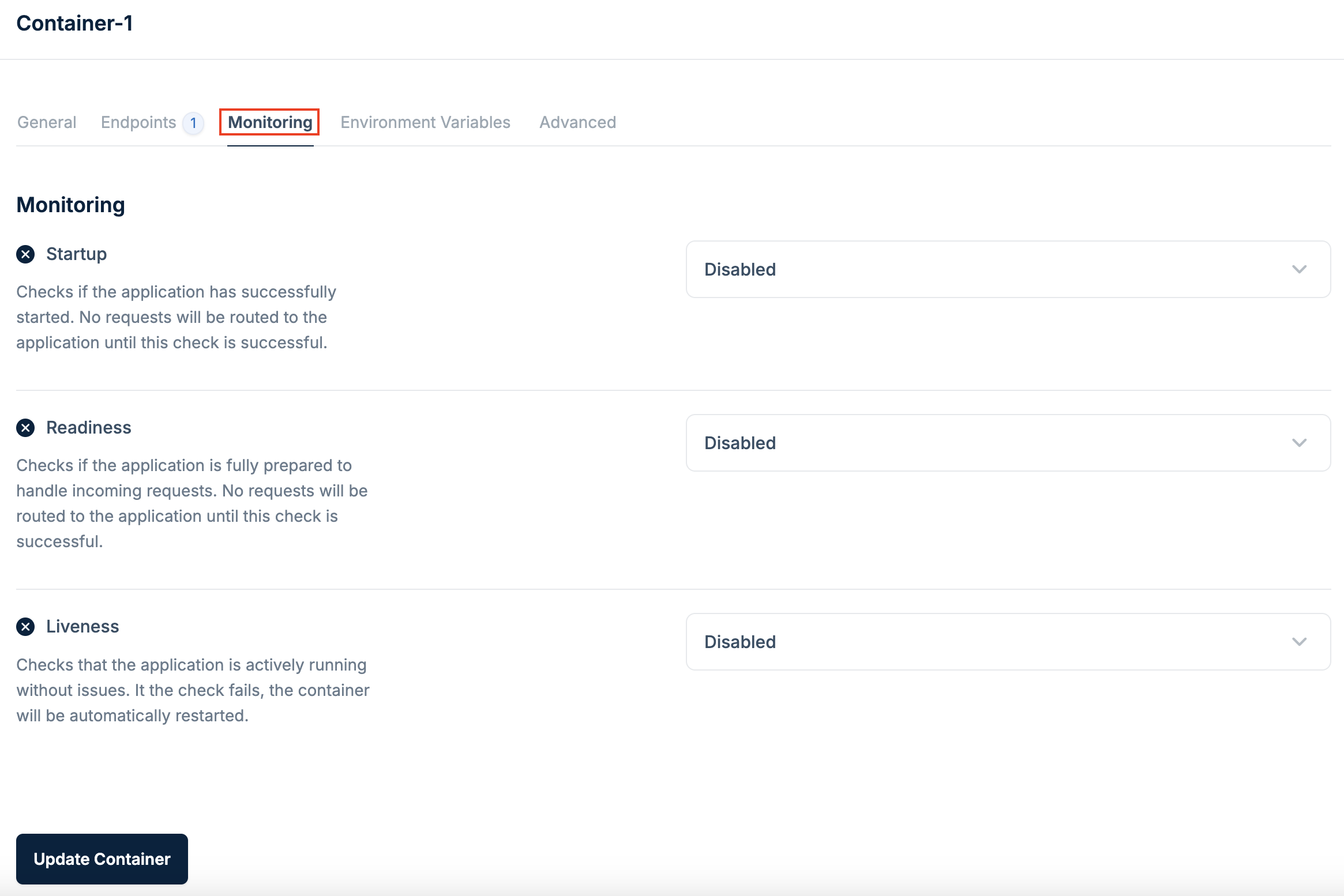 Click the checkbox for each health check type you want to enable (**Startup**, **Readiness**, **Liveness**).
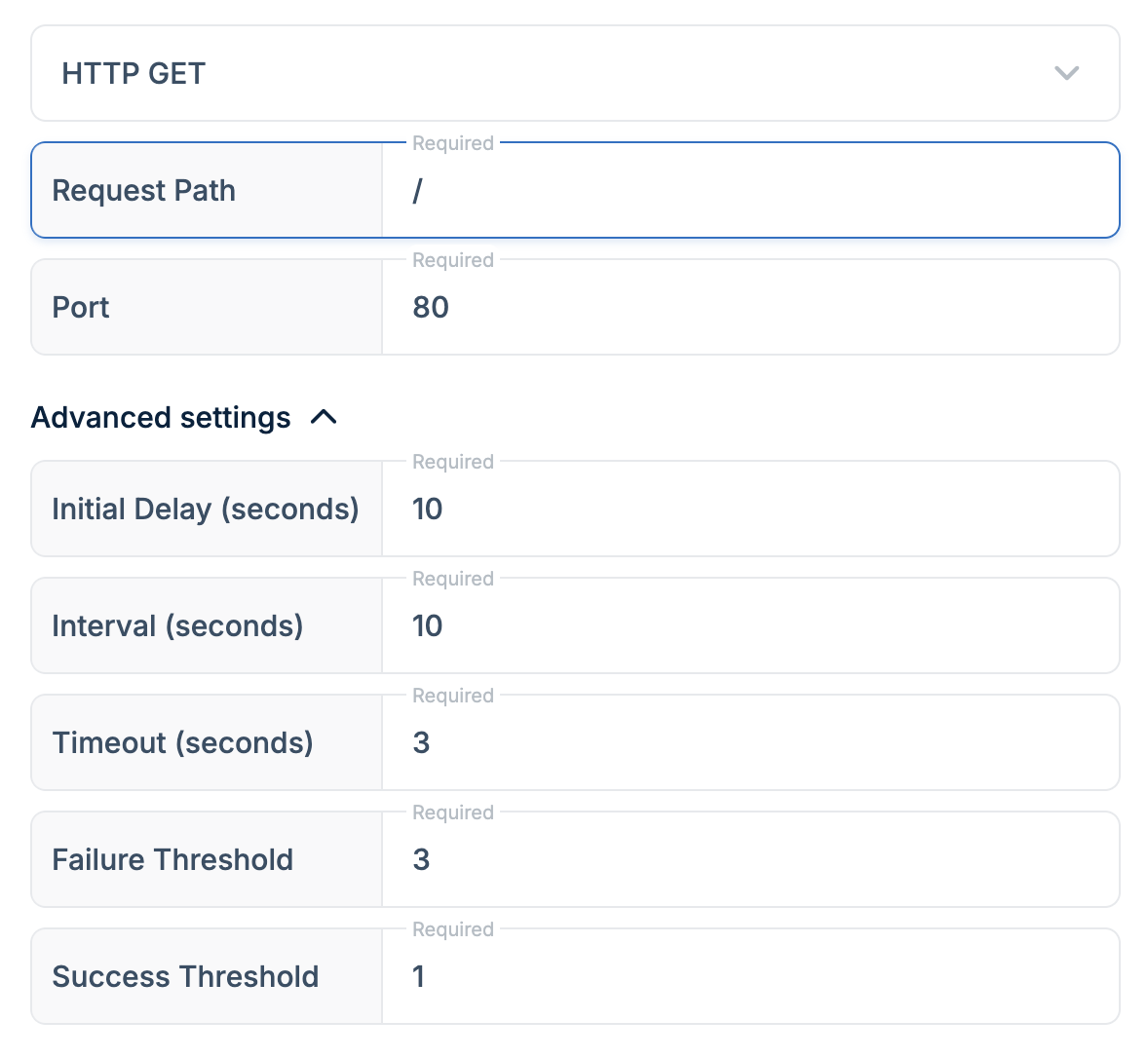
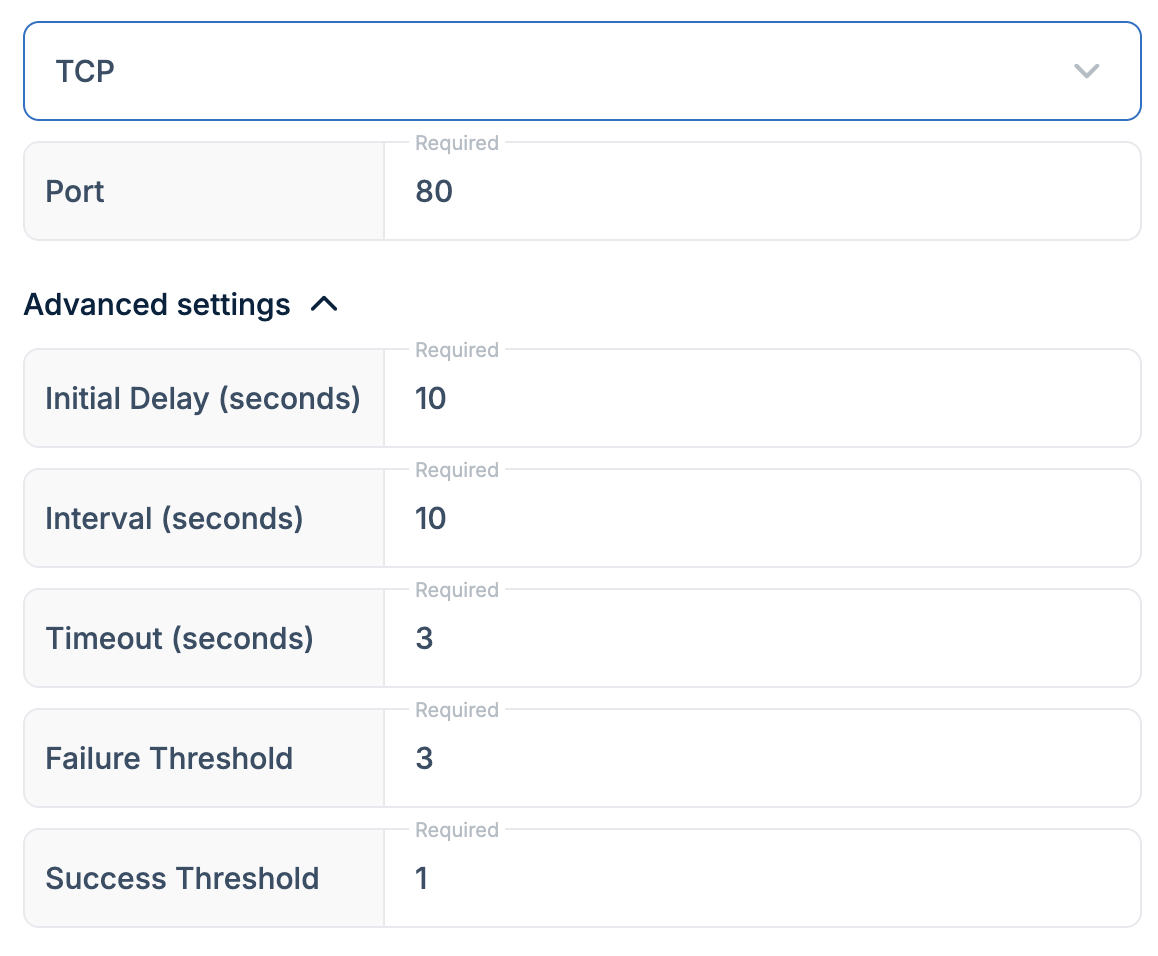
Select either **HTTP GET** or **TCP** from the dropdown:
**HTTP GET** - Provide the path and port for the HTTP request.
Click the checkbox for each health check type you want to enable (**Startup**, **Readiness**, **Liveness**).
Select either **HTTP GET** or **TCP** from the dropdown:
**HTTP GET** - Provide the path and port for the HTTP request.
 **TCP** - Specify the port for the TCP health check.
 We strongly recommend enabling at least the Readiness health check to minimize failed requests and ensure a smoother user experience.